What's New in Spacely AI: Faster, Smarter, and More Creative (October 2025 Edition)
Paruey A··5 min read
From Our Team to Yours
Every month, we listen to what real estate professionals, interior designers, architects, and creators like you are saying. This October update represents our biggest step yet toward one simple goal — helping you win more business, faster.
We've been paying attention. We've heard you ask for more realistic renders that impress clients instantly. We've watched you spend precious time navigating logins and manual furnishing workflows. And we've seen how much you value flexibility in your tools and subscriptions.
This month, we're delivering on all of it.
📦 Quick Highlights: What's New This Month
Here's what we've shipped in October 2025:
Realistic Render — Photo-realistic visualization that transforms your designs with advanced lighting, materials, and shadows
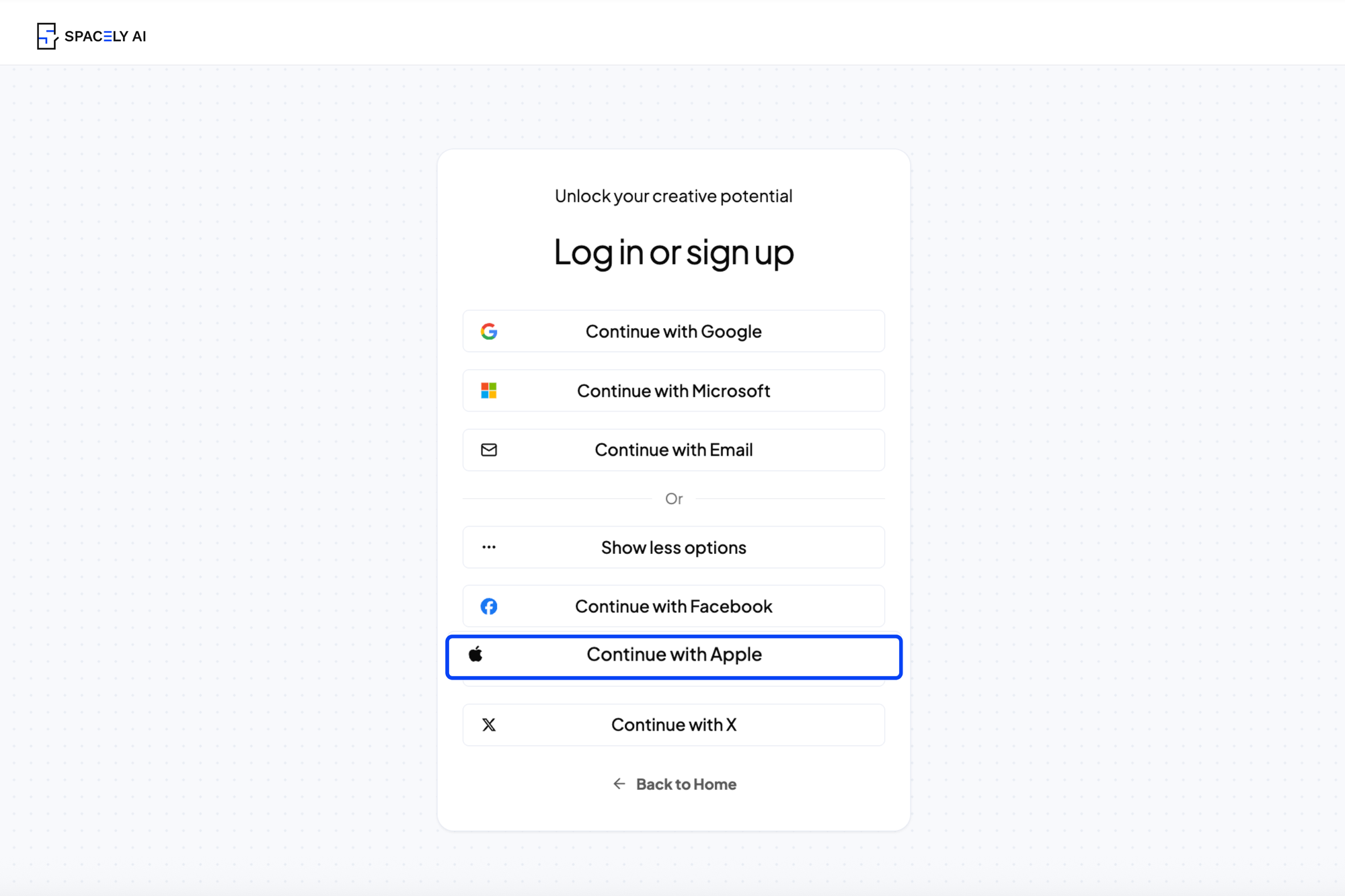
Apple Login — Seamless sign-in with just a tap using email or ph
Auto Furnish Upgrade — Intelligent room furnishing with 2x faster generation and enhanced styling
Upgraded Explore Area — Discover inspiration and recreate designs in seconds
Flexible Plan Management — Upgrade or downgrade your subscription anytime, directly in your account
Business Plan API Access — Spacely API now available for all Business Plan subscribers
1. Realistic Render — Next-Level Photo Realism for Your Designs
Our new rendering engine creates lifelike visuals with improved lighting, materials, and shadows. Your designs look client-ready instantly.
🎯 What's improved:
Enhanced Lighting — Natural light simulation for realistic day and night scenes that respond to time and environment.
Material Accuracy — Improved reflections and textures for wood, marble, glass, and fabric with authentic physical properties.
Smart Shadows — Soft, directional shadows that match real-world lighting behavior.
Faster Rendering — High-quality results in less time.
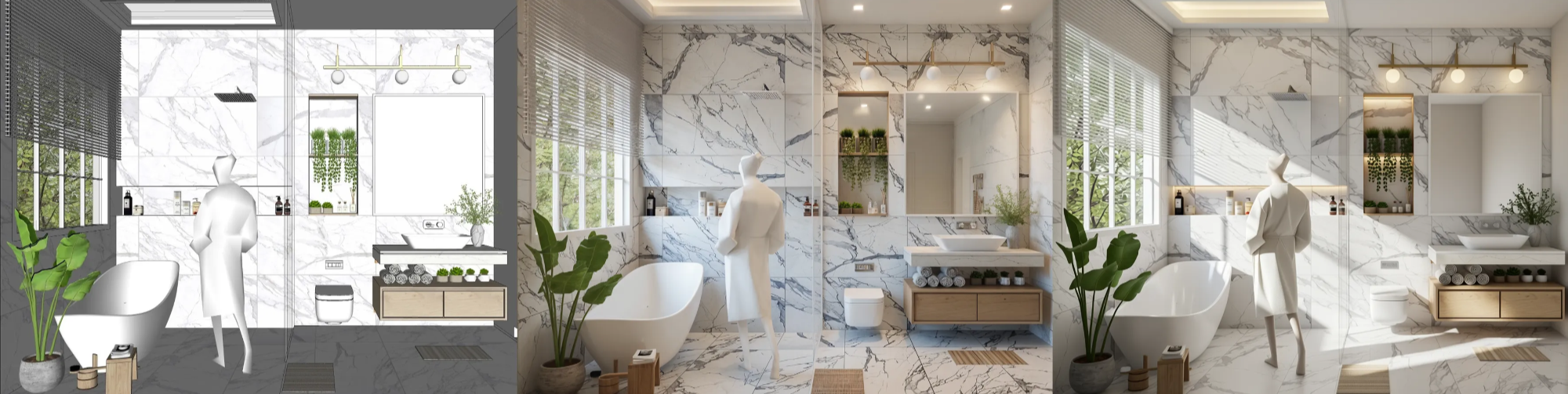
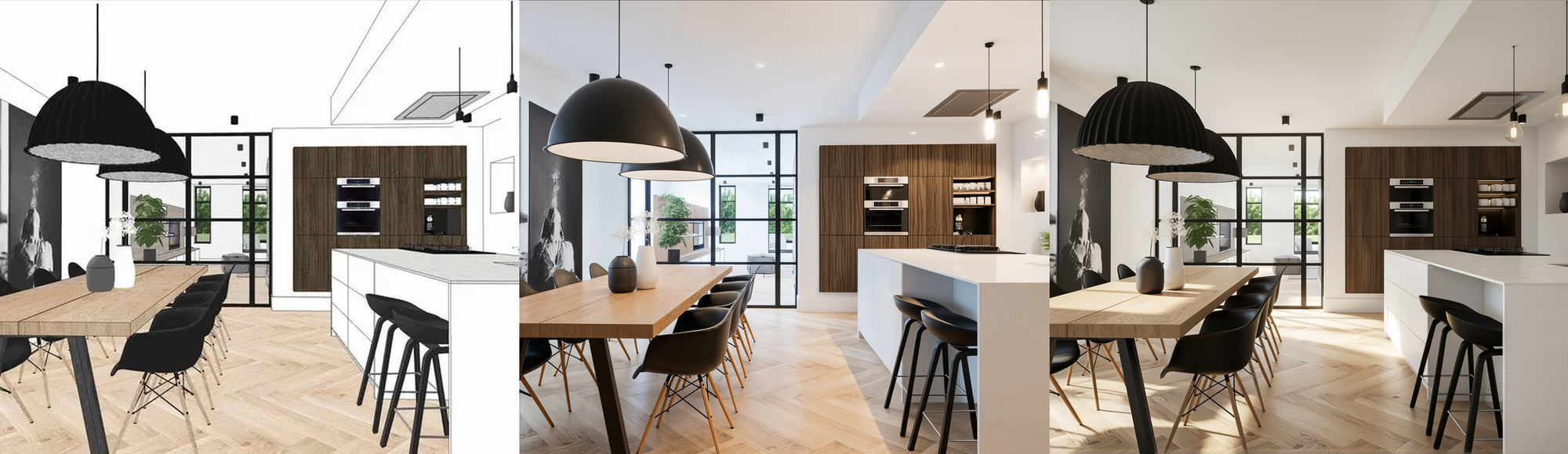
👀 Take a look at the transformation below
Bathroom Example: From a clean design sketch to a beautifully lit, realistic space — notice the improvement in marble reflections, soft natural light, and overall atmosphere.
Kitchen Example: With Realistic Render, even simple interiors come alive — subtle light bounces, true material depth, and accurate shadows enhance every scene.
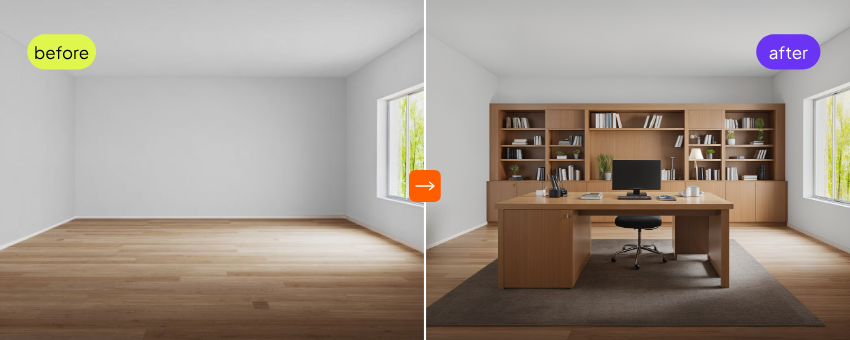
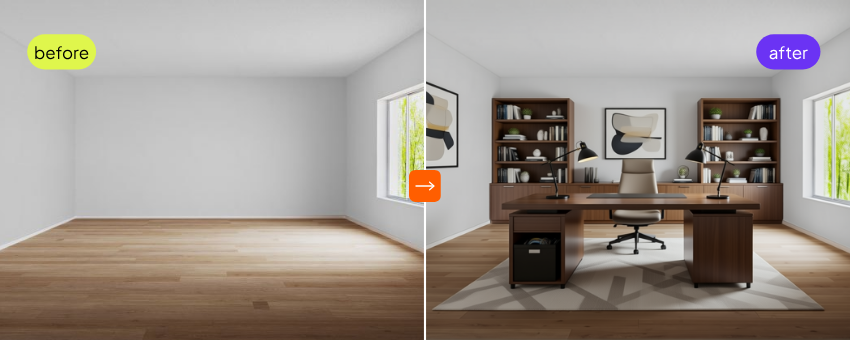
Transform empty rooms into fully furnished spaces with one click. Smarter furniture placement, consistent styling, and 2x faster rendering.
🎯 What's improved:
Smarter Layout Logic — Better spatial awareness for functional furniture placement that actually works.
Enhanced Materials — Textures respond to lighting for authentic depth and appearance.
Style Consistency — Furniture, colors, and decor automatically match your chosen theme.
Realistic Lighting — Soft lighting and reflections make spaces feel complete.
2x Faster — Quicker generation with better consistency.
👀 Take a look at the transformation below
Old Version Our previous Auto Furnish generated a basic layout — functional, but with limited styling and lighting detail.
New Upgrade The upgraded version adds smarter lighting, richer material detail, more cohesive decor, and balanced proportions for a professional, realistic finish.
Available in: Studio and Business plans. Upload an empty room and select "Auto Furnish."
4. Upgraded Explore Area — Browse, Recreate, and Customize in Seconds
Discover inspiration from Spacely renders, then instantly recreate any design in your workspace. One click transforms inspiration into a working project.
💡 What's new:
Visual Inspiration Library — Browse renders across different styles and room types all in one place.
Recreate from Any Image — Click any image and Spacely creates it as your own project with a full working file.
Smart Design Matching — AI analyzes lighting and style to help you reproduce similar quality.
Seamless Workflow — View inspiration → Click → Start editing. Everything happens in one place.
Available now on the Spacely Tools page for all users.
5. Now You Can Fully Manage Your Plan — Upgrade or Downgrade Anytime
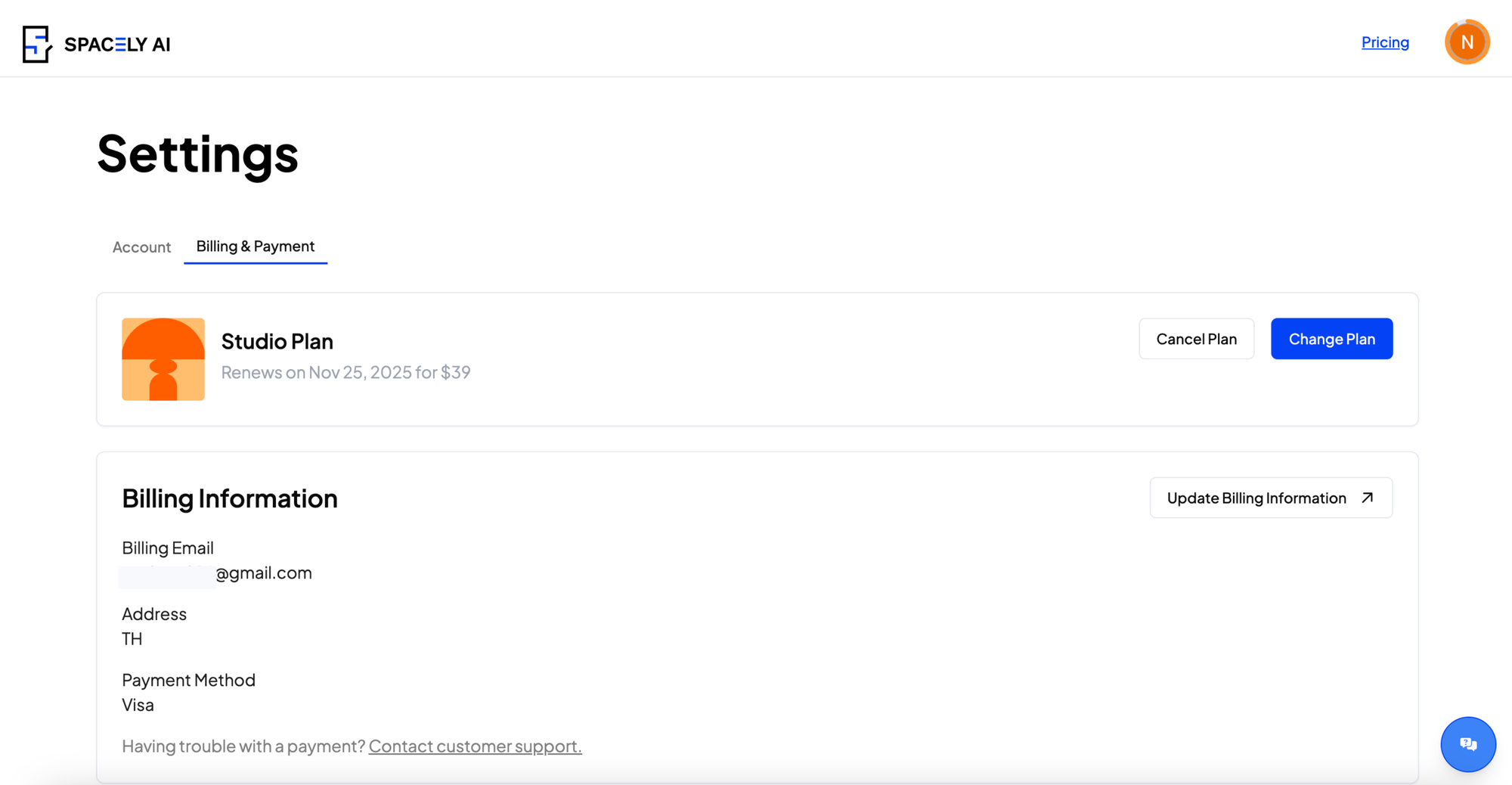
Full control over your subscription. Upgrade for more credits and features, or downgrade anytime within monthly plans. Changes take effect immediately—no support needed.
💡 What's new:
Upgrade Instantly — Move to a higher monthly plan anytime and access new features right away.
Downgrade Easily — Scale down without penalties or restrictions.
Transparent Billing — View plan details and renewal dates clearly.
Self-Service Control — Manage monthly plans directly in your Account Settings. No support tickets needed.
Located in: Account → Setting → Billing and Payment
Important Note: Monthly plan upgrades and downgrades are available in Account Settings. To upgrade from monthly to yearly, you can do so in settings. For yearly plan modifications or to downgrade from yearly, please contact [email protected] for assistance.
6. Business Plan API Access — Now Available to All Business Plan Users
Business Plan subscribers can now access the Spacely API to integrate rendering capabilities into your own tools and workflows. API credits pull from your plan balance—no separate billing.
🎯 What you can do:
Integrate into Your Website — Add Spacely rendering directly to your application or client interface.
Build Custom Workflows — Create internal tools and dashboards powered by Spacely.
🤖 How it works:
Generate your API key in Developer Settings
API requests use credits from your Business Plan automatically
Full documentation and integration examples included
No extra setup required
Get started: Go to Developer Settings to generate your API key and explore integration examples.
🚀 Get Started Today
All of these features are available now:
Free Plan — Apple Login, Explore Area
Studio Plan — Realistic Render, Auto Furnish, Explore Area, Plan Management, Apple Login
For architects, interior designers, and 3D modelers, SketchUp isn't just a tool — it's the environment where projects live. Models get built, refined, and prese…
Every feature in this update exists for a reason — each one is built by listening to the professionals who actually use them. This latest Spacely AI update is o…
For the past two years, Spacely AI has been a trusted AI rendering tool for interior designers, architects, and real estate professionals — a space to upload, g…