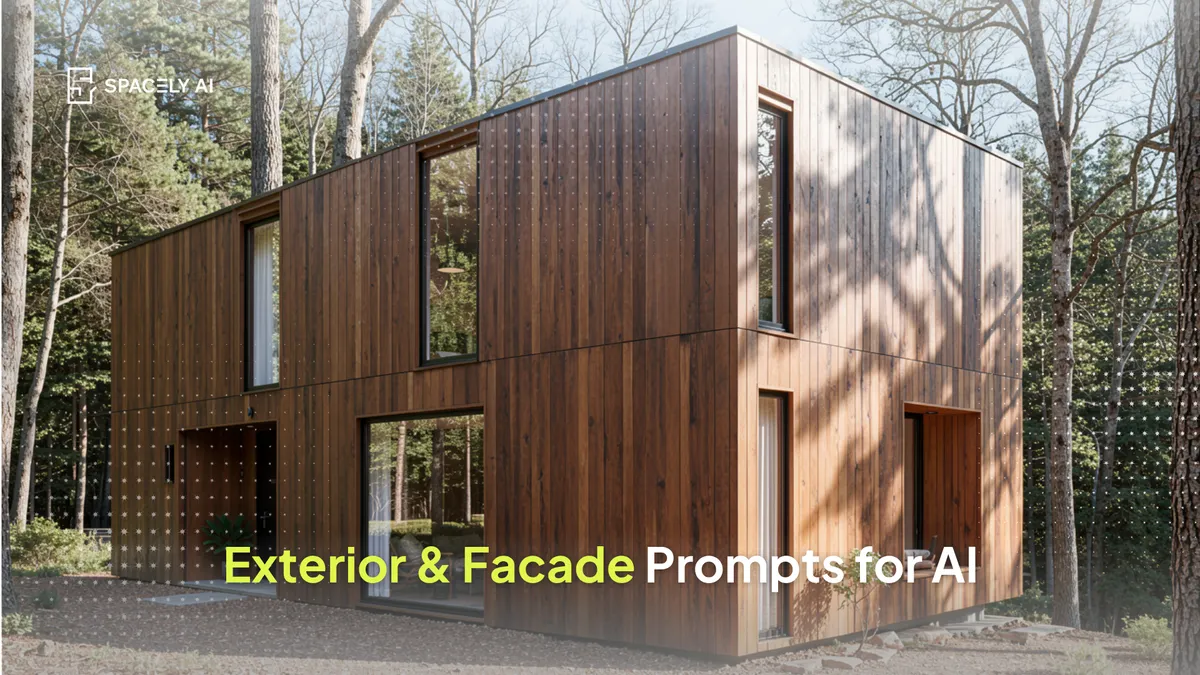
Copy-paste AI prompts for exterior and facade design: houses, commercial, brick, timber, glass, and dusk shots. Each names form, materials, light, context, and camera.
A good exterior prompt names five things: the building form, the facade materials, the light and time of day, the surroundings, and the camera angle. Exteriors have variables interiors don't; the sky, the landscaping, the street around it, and the way light rakes across a facade to reveal its texture — so naming those is what makes a render read like a real building instead of a generic box.
The single biggest lift, though, is your starting point: render from a view of your own model (SketchUp, Rhino, or Revit) so the massing and proportions carry through, then let the prompt drive the materials, light, and setting.
Below are copy-paste prompts for the most common building types and facade styles, plus a structure you can adapt to anything. Paste one, apply it to a view of your model in Spacely AI, and refine from there. And name real materials, "board-formed concrete," "anodized bronze fins," "charred timber.”
What makes a good exterior or facade prompt?
Five parts, and the exterior ones matter as much as the building itself.
Name the form (the massing, storeys, roofline), the facade materials specifically, the light with a direction and time of day, the context around the building, and the camera. Light is doing extra work outdoors; a facade's texture only reads when light rakes across it, so "late-afternoon side light" tells the render far more than "bright." Context grounds the building somewhere believable instead of floating it in a void.
| Element |
Vague (reads generic) |
Specific (reads real) |
| Form |
"modern building" |
"three-storey house with a flat roof and deep overhangs" |
| Materials |
"nice cladding" |
"board-formed concrete, vertical cedar slats, black steel windows" |
| Light |
"bright exterior" |
"late-afternoon raking light from the west, long shadows" |
| Context |
— |
"quiet suburban street, mature trees, clear sky" |
| Camera |
"nice angle" |
"eye-level three-quarter view, wide-angle architectural photography" |
Which exterior & facade prompts can you copy and paste?
Pick the closest style and adjust the materials to your design.
- Modern house exterior: "modern two-story house, flat roof, board-formed concrete and cedar cladding, black-framed glazing, late-afternoon light, quiet street with trees, eye-level three-quarter view."
- Contemporary residential facade: "contemporary house facade, white render with warm timber accents, large format windows, soft morning light, landscaped front garden, wide-angle architectural photography."
- Commercial / office facade: "modern office building facade, glass curtain wall with bronze mullions, ground-floor retail, overcast daylight, urban street context, three-quarter view."
- Warm timber facade: "timber-clad building, vertical charred cedar boards, deep window reveals, warm evening light grazing the wood, forest setting, eye-level view."
- Brick / traditional facade: "red brick townhouse facade, arched windows, stone lintels, soft afternoon light, tree-lined street, straight-on elevation."
- Glass tower: "glass residential tower, floor-to-ceiling glazing, slim metal frames, clear morning sky reflected, ground-level wide-angle looking up."
- Parametric / textured facade: "parametric facade, anodized aluminium panels varying across the surface, hard midday sun casting patterned shadows, three-quarter view."
- Adaptive reuse: "warehouse converted with a new glass-and-steel skin over exposed brick, industrial-urban context, overcast light, eye-level street view."
- Dusk / twilight shot: "modern house at dusk, warm interior lights glowing, deep blue sky, subtle landscape lighting, three-quarter view — marketing hero shot."
- Street-level context view: "building in its street context, pedestrians for scale, wet pavement reflections, soft overcast light, wide-angle architectural photography."
How do you render a facade so the material reads right?
Pair the material with the light that shows it off. Texture lives in shadow. A board-formed concrete wall, a fluted panel, or a run of timber slats only looks like itself when light crosses it at an angle; so for any textured facade, name a raking side light rather than flat, head-on light.
Match the time of day to the mood: golden hour and dusk flatter almost any building, overcast light keeps materials true and even, and hard midday sun exaggerates depth and pattern. And start from your own model view so the material sits on your actual geometry, not a generic massing. If one material reads wrong after generating, fix just that with a local edit instead of regenerating the whole scene.
FAQ
How do you write an AI prompt for a building exterior?
Name five things: the building form, the facade materials, the light direction and time of day, the surrounding context, and the camera angle. Use specific materials ("board-formed concrete," "charred timber") and a raking light so texture reads, and start from a view of your own model so the proportions stay true.
Why do my exterior AI renders look generic?
Usually because the materials are vague, there's no light direction or context, or the render started from a text prompt instead of your model. Name real materials, add a side light and a believable setting, and render from a framed view of your actual geometry.
Can AI render a facade from my SketchUp or Rhino model?
Yes. Spacely AI's SketchUp and Rhino extensions render a photorealistic image from a view of your model, so the massing and proportions carry through and your geometry stays untouched. It's built for concept and presentation work; keep your BIM and CAD authoritative for anything buildable.
More design insights on the Spacely AI blog →
Get started
→ Create your free account
→ Watch the full tutorial on YouTube
→ Explore the member plan
For more information and media inquiries, please contact
Website: spacely.ai
Facebook: facebook.com/spacelyai
Instagram: instagram.com/spacely.ai
Email: [email protected]