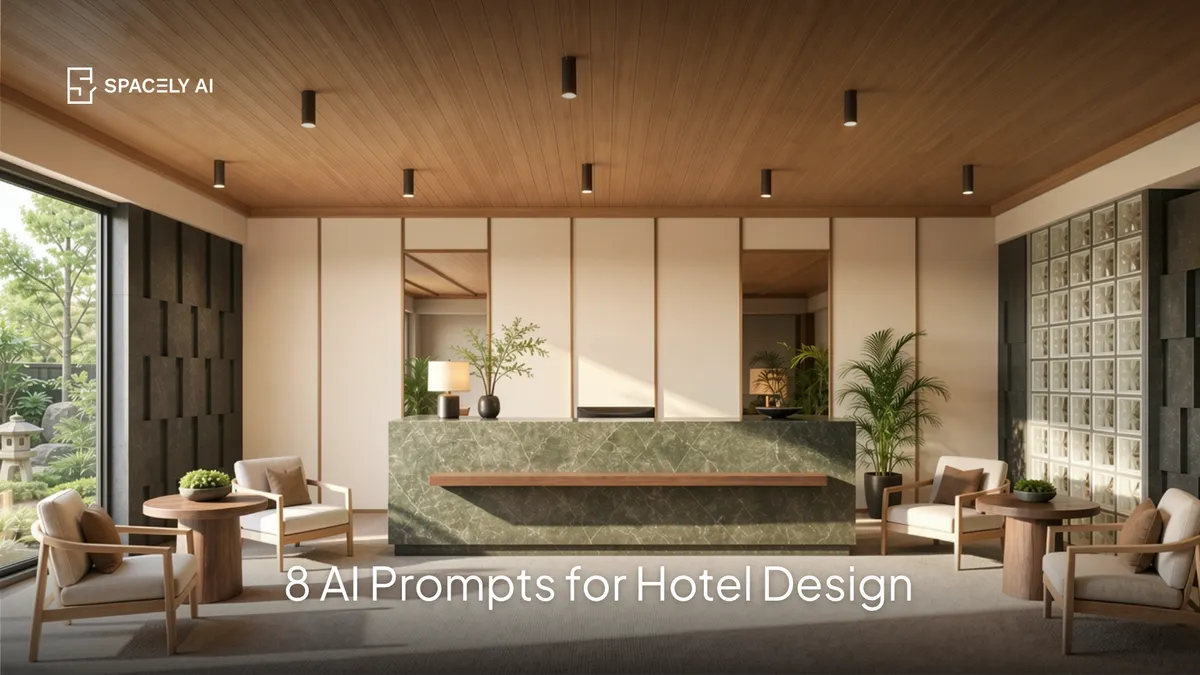
Copy-paste AI prompts for hospitality design: hotel lobbies, guest rooms, restaurants, and bars. Each names the mood, materials, and lighting that sell the experience.
A good hospitality design prompt names five things: the space type (lobby, guest room, restaurant, bar), the mood and brand feel, the materials, the lighting, and the layout. Hospitality design sells an experience, not just a room. A guest remembers how a space made them feel, so the mood, materials, and lighting carry the render.
Start from a prompt text, a photo of the space, or a model view, so the layout holds, then let the prompt set the atmosphere. Below are copy-paste hospitality prompts across the core space types, plus the structure to adapt them.
What makes a good hospitality design prompt?
Name the space, the mood, and the materials that create it.
| Element | Specific (hospitality) |
|---|
| Space type | "boutique hotel lobby" / "restaurant dining room" |
| Mood & brand | "warm and characterful" / "sleek and luxurious" |
| Materials | "walnut, stone, brass, velvet, leather" |
| Lighting | "layered warm lighting, statement fixtures" |
| Layout & camera | "welcoming layout, eye-level wide-angle" |
Which hospitality prompts can you copy?
Pick the space closest to your project and adjust the materials.
- Hotel lobby:
"boutique hotel lobby, warm walnut and stone, a statement chandelier, layered soft seating, a striking reception desk, plants, warm layered lighting, welcoming and characterful, eye-level wide-angle."
- Hotel guest room:
"boutique hotel guest room, upholstered headboard, warm neutral palette, wood and brass accents, layered lighting, soft textiles, calm and inviting, wide-angle."
- Restaurant dining room:
"restaurant dining room, warm wood and leather banquettes, statement pendant lighting, textured walls, intimate and inviting, warm evening light, wide-angle."
- Bar / lounge:
"hotel bar lounge, dark moody palette, backlit bar shelving, velvet seating, brass accents, warm low lighting, sophisticated, eye-level."
- Hotel suite:
"luxury hotel suite, generous layout, premium natural materials, soft neutral palette, statement lighting, seamless views, refined and calm, wide-angle."
- Reception / check-in:
"hotel reception, sculptural desk, brand feature wall, warm materials, soft seating, welcoming layered light, wide-angle."
- Rooftop / terrace:
"hotel rooftop lounge, comfortable outdoor seating, planting, warm string and lamp lighting, sunset, relaxed and inviting, wide-angle."
- Cafe / all-day dining:
"hotel all-day dining space, warm and bright, wood and rattan, greenery, banquette seating, natural daylight, wide-angle."
How do you capture the experience in a hospitality render?
Lead with mood, materials, and lighting. Guests choose and remember a hospitality space for how it feels.
So beyond the layout, name the mood you're creating (warm and characterful, sleek and luxurious, relaxed and coastal), the materials that carry it (premium natural materials read as quality), and the lighting — layered, warm, and often with a statement fixture, since lighting sets the atmosphere more than anything else.
Keep the render consistent with the brand's identity across every space. Starting from a photo or model keeps the layout true, so you're presenting the real project.
FAQ
How do you write an AI prompt for hospitality design? Name the space type (lobby, guest room, restaurant, bar), the mood and brand feel, the materials, the lighting, and the layout. Hospitality sells an experience, so lead with mood and name premium materials and layered lighting specifically. Start from a photo or model view so the layout stays true.
What makes a hospitality render feel high-end? Premium natural materials, layered warm lighting (often with a statement fixture), a considered mood, and consistency with the brand. Guests read quality through materials and light, so naming those specifically lifts the render.
Can AI design a hotel or restaurant space from a photo? Yes. Upload a photo of the space to Spacely AI, apply a hospitality prompt, and it restyles the actual space while keeping the layout. Use Point & Edit to adjust individual elements, and keep the look consistent across every space for a cohesive brand.
More design workflow insights on the Spacely AI blog →
Get started
→ Create your free account
→ Watch the full tutorial on YouTube
→ Explore the member plan
For more information and media inquiries, please contact
Website: spacely.ai
Facebook: facebook.com/spacelyai
Instagram: instagram.com/spacely.ai
Email: [email protected]