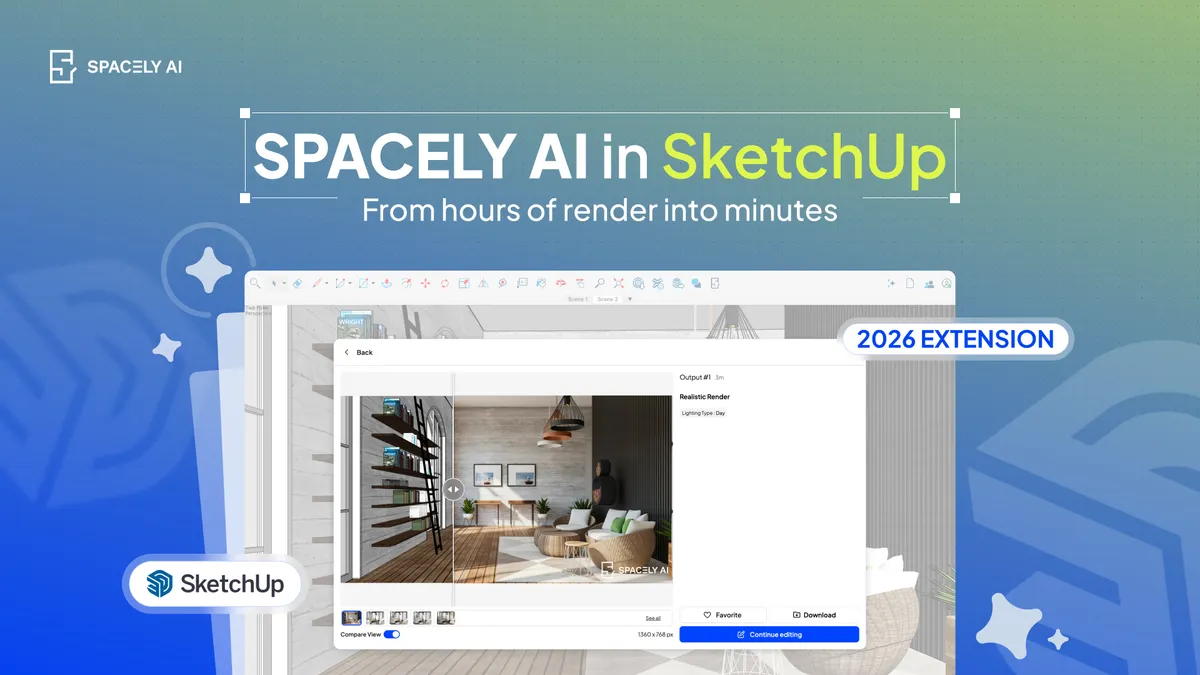
Yes, you can render SketchUp models with AI. Here's how to turn a SketchUp view into a photorealistic image in about a minute, no render-scene setup or export needed.
Instead of setting up a render scene, assigning materials and lights, and exporting to a separate engine, an AI renderer takes a view of your SketchUp model and generates a photorealistic image from it in about a minute, guided by a prompt or a style preset.
Spacely AI does this through a SketchUp extension that runs inside SketchUp itself: you frame a view, choose a style or describe the look you want, and get a client-ready image without leaving the model. Because it works from your actual geometry, the proportions and layout carry through — you're rendering your design, not a generic one. It's built for the concept and presentation stages, where speed and options matter; for dimensioned or construction-accurate output, your SketchUp model stay authoritative.
How does AI rendering work with SketchUp?
It reads a view of your model and generates an image from it, the model stays untouched. Traditional SketchUp rendering means installing a render engine, building a materials-and-lighting scene, and waiting for the engine to process each frame. AI rendering skips most of that.
You capture the view you want from your SketchUp model, and the AI produces a photorealistic version guided by what you tell it: the materials, the mood, the light. The render comes back as a separate image, so your SketchUp file isn't modified.
That's the core difference: the engine renders your scene; AI interprets a view of it into a finished image, quickly and with far less setup.
How do you render a SketchUp model with AI?
Install the Spacely AI SketchUp extension. It runs inside SketchUp, so you don't switch tools.
Frame your view. Set the camera to the angle you want to present — a three-quarter exterior or an interior perspective.
Choose a style or write a prompt. Pick a preset like Modern or Minimalist for speed, or describe the exact materials, light, and mood you want.
Generate. The AI returns a photorealistic image from your view in about a minute.
Refine. Adjust the prompt, restyle, or fix a detail — then sharpen the final image for presentation.
It's for showing a design, not certifying one. AI rendering is faithful to composition, materials, light, and mood when you start from your model, which makes it ideal for concept exploration and client presentations. It isn't a source of buildable, dimensioned output. Your SketchUp geometry remains authoritative for anything measured or construction-related. Think of it as the fast visualization layer on top of the model you already built, not a replacement for the model or its data.
You can absolutely render SketchUp models with AI and for concept and presentation work, it's the quickest path from model to image. Frame a view, choose a style or write a prompt, and Spacely AI's SketchUp extension returns a photorealistic render in about a minute, without a render scene or an export. Keep your model authoritative for the technical work, and let AI carry the visualization.
Can you render a SketchUp model with AI? Yes. Spacely AI's SketchUp extension renders a photorealistic image from a view of your SketchUp model in about a minute, guided by a prompt or preset — no render scene to build and no export to a separate engine. Your model stays untouched because the render comes back as a separate image.
Is AI rendering easier than a traditional SketchUp render engine? Generally yes, for concept and presentation work. Traditional engines require setting up materials, lighting, and a scene; AI rendering needs only a framed view and a style or prompt, with a minimal learning curve. For polished final animations or full manual control, a traditional engine still has its place.
Do I need to leave SketchUp to render with AI? No. The Spacely AI extension runs inside SketchUp, so you frame the view and render from the model you're already working in, rather than rebuilding or exporting it elsewhere.
Copy-paste AI prompts for nursery design: modern, neutral, boho, and whimsical. Render your baby's room on a photo in about 60 seconds.
Here are copy-paste AI…
Los Angeles apartment interior design blends indoor-outdoor living, warm light, and relaxed modern style. Ideas by apartment type, plus copy-paste AI prompts to…
Home library design ideas and copy-paste AI prompts: classic, modern, cozy, and small-space libraries. Render your home library on a photo in about 60 seconds.…