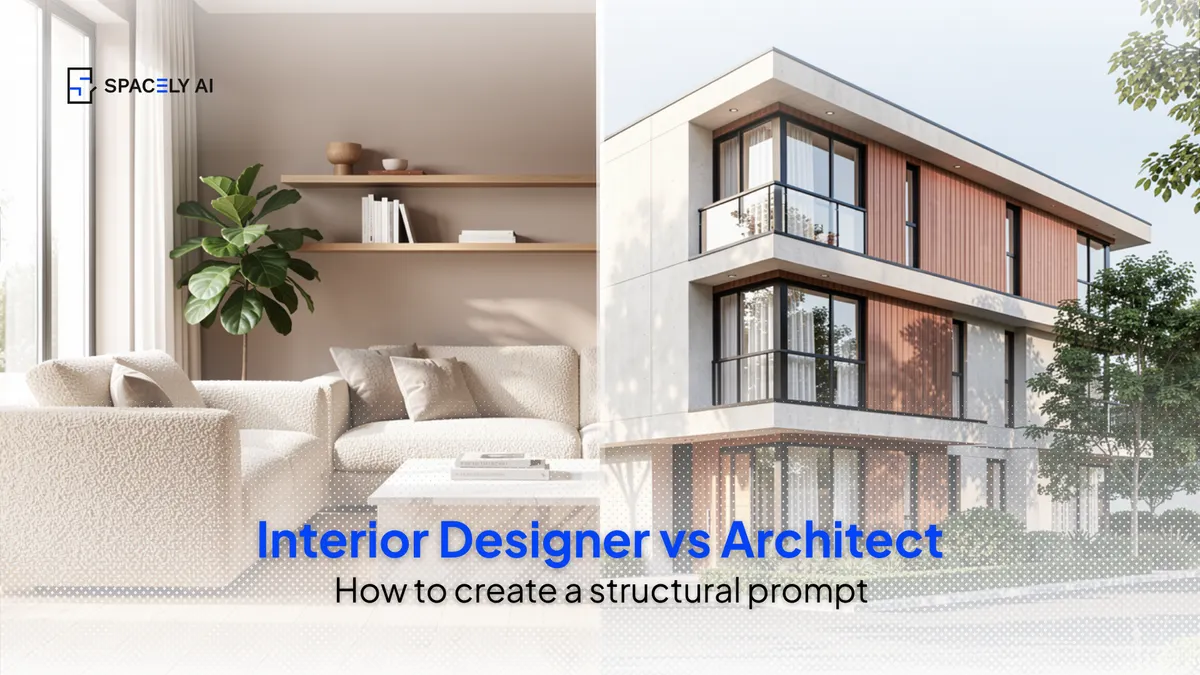
The reusable prompt structure for interior designers and architects, a fill-in-the-blank formula that works for any render, with examples for interiors and architecture.
Whether you're an interior designer or an architect, a professional AI prompt follows the same structure, a reusable formula you can fill in for any project. Once you have it, you stop guessing at prompts and start directing the result. Here's the structure, and it's yours to copy:
[space or building] + [specific materials & finishes] + [light: direction + time of day] + [context / setting] + [camera: angle + lens] + [render quality]
Interiors and architecture use the exact same skeleton, only the specifics change. A designer fills the blanks with furniture, finishes, and interior light; an architect fills them with form, facade materials, and how daylight rakes across the building. The other thing both disciplines share is the biggest lever of all: start from your own model or a photo, so the geometry and proportions are true and you're rendering your design rather than a generic one.
Below: the structure explained, how it adapts for each discipline with worked examples, and the pro habits that make it reliable.
What is the prompt structure? (the giveaway)
Six blanks, filled in specifically. Every strong render prompt answers six things. Copy this and keep it to hand:
- Space or building: what it is (a living room; a three-storey house).
- Materials & finishes: specifically (oak floor, boucle sofa; cedar cladding, black steel).
- Light: a direction and a time of day (soft morning light from the left; late-afternoon raking light).
- Context / setting: the surroundings (styled shelves and plants; a landscaped street).
- Camera: angle and lens (eye-level wide-angle; three-quarter street view).
- Render quality: the finish cue (photorealistic, high detail; photorealistic architectural visualization).
Keep it to a sentence or two. If you can picture exactly what the prompt describes, so can the AI.
How does the structure adapt for interior designers vs architects?
Same skeleton, different specifics.
| Blank | Interior designer fills it with | Architect fills it with |
|---|
| Subject | The room type | The building type and form |
| Materials | Furniture, finishes, textiles | Facade materials, structure |
| Light | Interior light, lamps, windows | Raking daylight, time of day |
| Context | Styling, décor, plants | Setting, landscape, street |
| Camera | Eye-level interior, wide-angle | Three-quarter or street-level |
| Quality | "Photorealistic interior photography" | "Photorealistic architectural visualization" |
Interior example: "modern living room, oak floor, boucle sofa, honed marble coffee table, warm greige walls, soft morning light from the left, minimally styled shelves and a large plant, eye-level wide-angle, photorealistic interior photography, high detail."
Architecture example: "three-storey house, board-formed concrete and cedar cladding, black-framed glazing, late-afternoon raking light from the west, landscaped tree-lined street, eye-level three-quarter view, photorealistic architectural visualization, high detail."
Same six blanks, two very different renders.
What pro habits make prompts work?
Start from your model, be specific, and iterate. Four habits carry most of the result, for both disciplines.
- Start from your own model or a photo, so the proportions are true — this matters more than the wording.
- Be specific with materials and light; "honed marble" and "raking side light" beat "nice finishes" and "bright."
- Keep each prompt to one clear direction rather than cramming in competing ideas.
- And treat the first render as a draft — refine it, and fix one element with a local edit instead of regenerating the whole scene.
These are the difference between a render that looks like your design and one that looks like a stock image.
The bottom line
Prompting well as a designer or architect comes down to one reusable structure: space or building, materials, light, context, camera, and render quality — filled in with your project's specifics and rendered from your own model. Interiors and architecture share the same skeleton; only the blanks change. Copy the formula, start from your work, be specific, and refine one element at a time. Do that, and you'll get render-quality images in about 60 seconds, every time.
FAQ
What is the best prompt structure for design renders? A reusable six-part formula: the space or building, the specific materials and finishes, the light (direction and time of day), the context or setting, the camera (angle and lens), and a render-quality cue. Fill in each blank specifically and start from your own model, and the structure works for any interior or architectural render.
Is the prompt structure different for interiors and architecture? No, it's the same skeleton, with different specifics. An interior designer fills the blanks with furniture, finishes, and interior light; an architect fills them with form, facade materials, and daylight. The six parts stay the same, which is what makes the structure reusable across both disciplines.
Why do my renders look generic even with a good prompt? Usually because the specifics are missing or the render didn't start from your own model. Name real materials and a clear light direction rather than a style word alone, and render from a view of your actual model or a photo so the result reflects your design instead of a generic space.
More design workflow insights on the Spacely AI blog →
Get started
→ Create your free account
→ Watch the full tutorial on YouTube
→ Explore the member plan
For more information and media inquiries, please contact
Website: spacely.ai
Facebook: facebook.com/spacelyai
Instagram: instagram.com/spacely.ai
Email: [email protected]