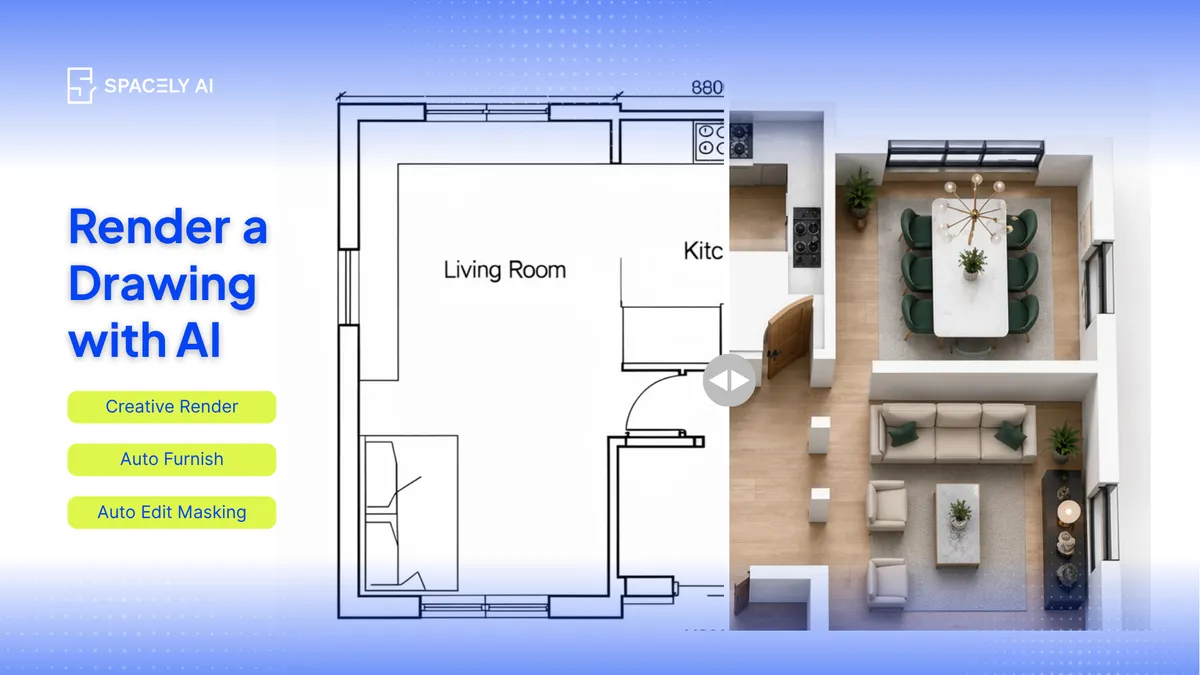
Turn a drawing into a photorealistic interior render with AI. Here's how interior designers render from a sketch or layout; what works, the steps, and the limits.
You can turn a drawing into a photorealistic render with AI, a fast way for interior designers to show a client what a sketched or drawn-up room will actually look like. Upload the drawing such as a hand sketch, a concept drawing, or a layout; and describe the materials, finishes, lighting, and style you have in mind, and the AI generates a rendered interior based on it.
It's ideal for the early stage, when you have a drawing and want to bring it to life for a client without building a full 3D model or waiting on an outside renderer. One honest note up front: the render is a concept interpretation, so the clearer and more legible your drawing, the truer the result — and for precise proportions, you'll get more control starting from a model view or a photo of the actual room.
Below: what kinds of drawings work, how to render from one step by step, and where the limits are. Spacely AI renders from a drawing, a photo, or a model view in about 60 seconds.
Can AI render an interior from a drawing?
Yes, as a concept you can communicate with. AI can read an interior drawing from a perspective sketch, a concept drawing, to a room layout. And generate a photorealistic interpretation of it, complete with the materials, finishes, and lighting you describe.
That makes it genuinely useful for the moment you've sketched an idea and want the client to see it as something real, rather than asking them to read a drawing. What it produces is a resolved version of your idea, not a measured technical output, so treat it as concept visualization — which, for early design and client buy-in, is exactly what you want.
How do you render an interior from a drawing?
Four steps.
- Start with a clear drawing. A legible perspective sketch or concept drawing gives the AI the most to work with.
- Upload it. Bring the drawing into Spacely AI.
- Describe the interior. Name the materials, finishes, furniture, palette, and lighting you want — specifically.
- Generate and refine. You get a photorealistic interior in about 60 seconds; adjust the description, or fix one element with Point & Edit rather than starting over.
For a room you're redesigning, rendering from a photo of the actual space gives you even more accuracy, since the real proportions carry through.
What kinds of drawings work best?
Perspective and clear line drawings; flat plans give a looser result. Not every drawing renders equally well.
- A perspective sketch: one that already shows the room from a viewpoint — works best, because it gives the AI a sense of the space and depth.
- A clear concept drawing with defined lines renders well too.
- A flat floor plan, by contrast, is top-down and doesn't carry perspective, so rendering an interior view from a plan alone produces a looser concept rather than a precise match.
If you're working from a plan, treat the result as inspiration for the look and feel, and start from a perspective drawing or a photo when you need the view to be accurate.
What are the limits?
Concept, not a measured drawing. Rendering from a drawing is for communicating the look and feel of a design quickly. It's expressive and fast, and good enough to align a client early. It isn't a source of exact dimensions or a technical drawing, and a loose sketch leaves the AI room to interpret. So use it to explore and present the idea, and when you need precise proportions, render from a model view or a photo of the real room. Keeping that line clear is what makes the drawing-to-render step genuinely helpful.
FAQ
Can AI render an interior from a drawing? Yes. Upload a clear interior drawing — a perspective sketch, concept drawing, or layout — describe the materials, finishes, and lighting, and Spacely AI generates a photorealistic interior from it in about 60 seconds. It's ideal for communicating an early idea; treat the result as concept visualization rather than a measured drawing.
What kind of drawing works best for AI rendering? A perspective sketch works best, since it already shows the room from a viewpoint and gives the AI a sense of space and depth. Clear concept drawings render well too. A flat floor plan gives a looser result, because a top-down drawing doesn't carry perspective — use it for look-and-feel rather than an accurate view.
Is a render made from a drawing accurate? It captures the look and feel well, but a drawing (especially a loose one) leaves room for interpretation, so exact proportions aren't guaranteed. For precise proportions, render from a model view or a photo of the actual room. Rendering from a drawing is best for communicating an idea early.
More design workflow insights on the Spacely AI blog →
Get started
→ Create your free account
→ Watch the full tutorial on YouTube
→ Explore the member plan
For more information and media inquiries, please contact
Website: spacely.ai
Facebook: facebook.com/spacelyai
Instagram: instagram.com/spacely.ai
Email: [email protected]