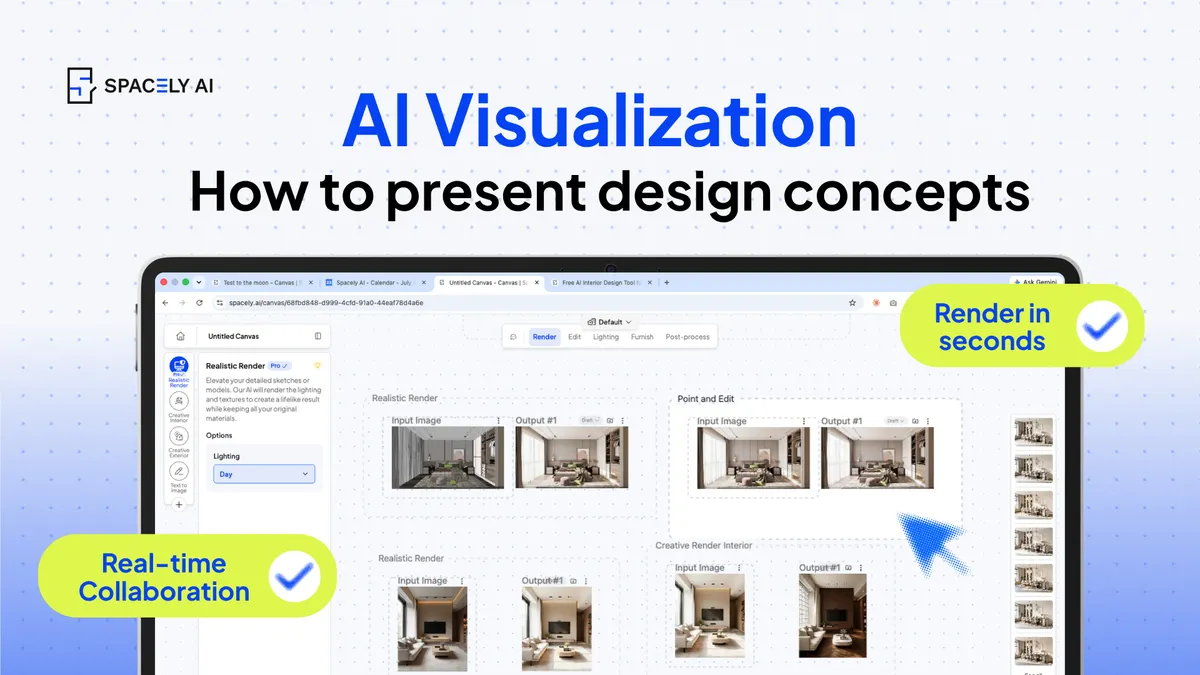
Clients decide when they can see it. Here's how designers use AI visualization to present concepts with photorealistic options, before/after, and a clear walk-through.
The strongest design presentations share one trait: the client can see the concept, not just hear it described. AI visualization makes that easy, it turns your concept into photorealistic images, lets you show options side by side, present a clear before-and-after, and walk the client through the space as it will actually look. That closes the gap where presentations usually lose people: a mood board or a description asks the client to imagine the result, while a photorealistic visual lets them react to it directly. The payoff is faster decisions, fewer misunderstandings, and more confident sign-off.
Below: why visualization wins presentations, what to include in one, and how to present it well. Spacely AI generates photorealistic concepts from your model or a photo, so what you present reflects the real space.
Why does visualization win presentations?
Because clients commit to what they can see, not what they picture. A described concept invites hesitation — the client is trying to assemble the result in their head, and everyone imagines it differently.
A photorealistic visual removes that ambiguity: the client reacts to the actual look, so feedback is concrete and decisions come faster. It also builds trust; showing a client a believable image of their space signals that you understand the brief and can deliver it. Mood boards and sketches still have their place for direction, but for the moment of decision, a visualization does more work than any amount of explanation.
What should you include in an AI-visualized presentation?
Options, a before-and-after, and a walk-through of the space. Three elements make a presentation land.
- Options side by side: two or three directions the client can compare, which turns a yes/no into a considered choice.
- A before-and-after: the current space next to the proposed one, which makes the value of the work obvious.
- And a walk-through of the space: key views rendered so the client understands how the design feels across the room, not just in one shot.
Present these as clean visuals rather than technical drawings, and the client stays focused on the design rather than deciphering it.
| Element | What it does |
|---|
| Side-by-side options | Turns a decision into a clear comparison |
| Before-and-after | Makes the value of the change obvious |
| Key-view walk-through | Shows how the space feels, not just one angle |
| Material and palette close-ups | Grounds the concept in real finishes |
How do you present it well?
Prepare the visuals, lead with the concept, and edit live if you can. Generate your visuals from the actual space beforehand, so proportions are true and you're presenting rather than building. Lead with the concept and the story, using the images to support it, not the other way around. Keep the number of options tight around two or three instead of ten, so the client can decide. And if a client asks "what about a darker floor?", being able to make that change on the spot keeps the momentum and often closes the decision in the room.
The goal is a presentation that feels like a conversation about a space the client can already see.
The bottom line
Design presentations win when the client can see the concept, and AI visualization is the fastest way to get there: photorealistic options, a clear before-and-after, and a walk-through of the space. Generate the visuals from the real space, lead with the concept, keep the options focused, and adjust live where you can. Show the design rather than describing it, and decisions come faster and with more confidence.
FAQ
Why is visualization better than a mood board for presenting a concept? A mood board sets a direction, but it still asks the client to imagine the result. A photorealistic visualization shows the actual look of their space, so the client reacts to it directly — feedback is concrete and decisions come faster. Many designers use mood boards for direction and visualizations for the decision.
What should a design presentation include? Side-by-side options for the client to compare, a before-and-after that shows the value of the work, a walk-through of key views so they understand how the space feels, and close-ups of materials and palette. Present them as clean visuals rather than technical drawings.
Can I change a concept live during a client meeting? Yes, with tools that edit quickly. If a client asks for a darker floor or a different wall color, you can make the change on the spot and show them, which keeps momentum and often closes the decision in the room. Spacely AI's editing tools support this.
More design workflow insights on the Spacely AI blog →
Get started
→ Create your free account
→ Watch the full tutorial on YouTube
→ Explore the member plan
For more information and media inquiries, please contact
Website: spacely.ai
Facebook: facebook.com/spacelyai
Instagram: instagram.com/spacely.ai
Email: [email protected]