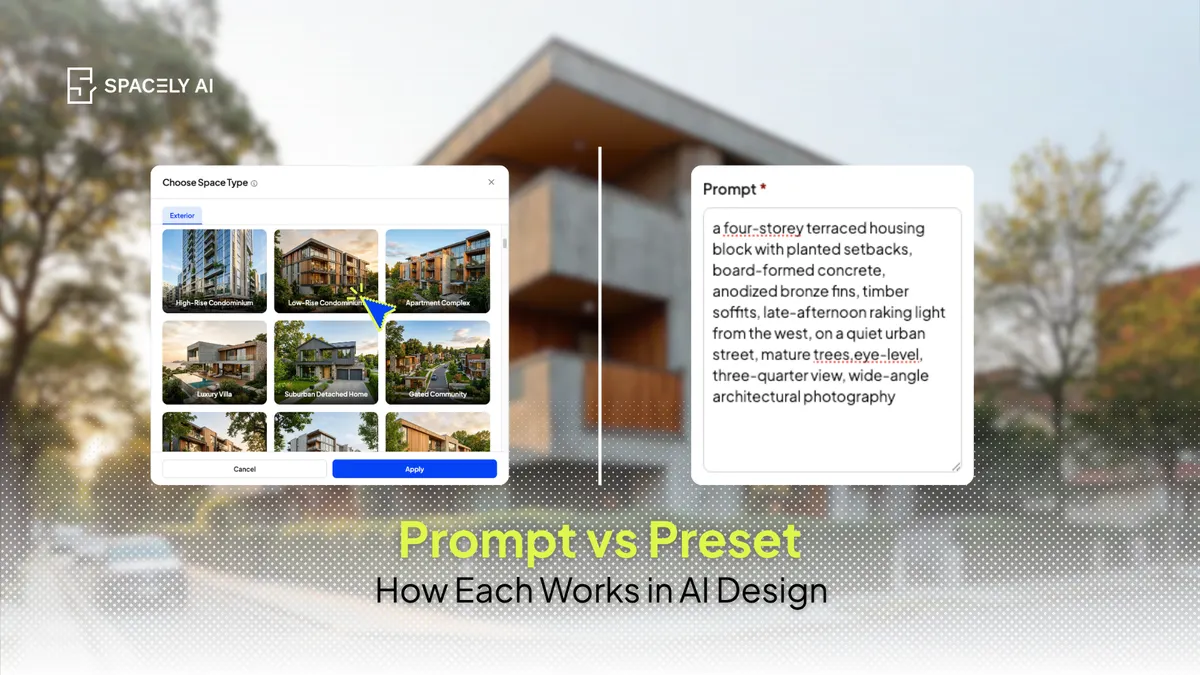
Prompt vs preset in AI design: a preset applies a ready-made style, a prompt is a description you write. Here's how each works, when to use which, and how to combine them.
A preset applies a ready-made style with a single selection; a prompt is a text description you write to steer the result yourself. Pick a "Modern" preset and you get a modern render without typing a word. Write a prompt: "warm minimalist bedroom, oak floor, linen bedding, soft morning light" and you control the materials, color, and mood down to the detail.
Presets are faster and more consistent; prompts give finer, more personal control. Neither is universally better, because the right one depends on your workflow: a preset when you want speed and a repeatable look, a prompt when you have a specific vision or an exact material in mind.
The most useful tools offer both, so you can switch by task rather than commit to one forever. Spacely AI does — you can select a preset style like Modern or Minimalist, write a custom prompt, or combine them: start from a preset, then refine with a prompt. Because everyone's workflow is different, the point isn't choosing a side; it's having both on hand.
What is a preset in AI design?
A preset is a pre-built style you apply by selecting it, with no writing required.
Behind the scenes, a preset packages a whole set of choices — palette, materials, mood, lighting direction — into one option labelled by style, like Modern, Minimalist, or Contemporary. You choose it and the render follows that style. The advantages are speed and consistency: it takes a single selection, it produces a dependable look every time, and it needs no knowledge of how to describe a style in words. The trade-off is a preset gives you a modern room, not necessarily the exact modern room in your head, because you're selecting at the style level rather than the detail level.
What is a prompt in AI design?
A prompt is a text description you write to tell the AI exactly what you want.
You compose it in plain language, naming the specifics — the materials, the colors, the light, the camera angle. The advantage is control: a prompt can produce a look no preset covers, match an exact finish, or capture a precise vision, because you're directing at the element level. The trade-off is that it takes a little more effort and know-how; you have to know what to write, and vague wording ("nice modern room") gives a vague result. Prompts reward specificity, which is their strength and their learning curve at once.
Prompt vs. preset: how do they compare?
|
Preset |
Prompt |
| How it works |
Select a ready-made style |
Write a text description |
| Speed |
Fastest — one selection |
Slower — you compose it |
| Control |
Broad, at the style level |
Precise, at the element level |
| Learning curve |
None |
Some — knowing what to write |
| Consistency |
High — repeatable look |
Varies with your wording |
| Best for |
Quick options, consistency, getting started |
Custom looks, exact materials, a specific vision |
When should you use a preset vs. a prompt?
Match the tool to the moment, not to a rule.
Reach for a preset when you want to move fast, need a consistent look across a set of images, are new to AI design, or just want a strong starting point to react to — it's also the friendlier path if you'd rather not think in materials and lighting terms.
Reach for a prompt when you have a specific material or finish in mind, want a look no preset quite captures, or need fine control to match an exact vision. In practice, a homeowner or a busy agent often leans on presets for speed and consistency, while a designer or architect reaches for prompts when a project needs a precise, one-off result.
Neither choice is permanent, most people use both depending on the task in front of them.
Can you combine a preset and a prompt?
Yes and combining them is often the best approach. Start with a preset to set the overall style quickly, then add a prompt to refine the specifics — swap the flooring, name a different palette, adjust the light. You get the speed and consistency of a preset as your base and the precision of a prompt for the details that matter.
This is where having both in one tool pays off: Spacely AI lets you pick a preset style, write a custom prompt, or layer a prompt on top of a preset, so the workflow bends to you rather than the other way around. Whether you think in styles, in specifics, or in both, you're not locked into one way of working.
FAQ
What's the difference between a prompt and a preset in AI design?
A preset applies a ready-made style with a single selection, pick "Modern" and get a modern render. A prompt is a text description you write to steer the result yourself, naming materials, colors, and light. Presets are faster and more consistent; prompts give finer, element-level control.
Which is better, a prompt or a preset?
Neither universally, it depends on your workflow. Use a preset for speed and a consistent, repeatable look, and a prompt when you need precise control or a specific vision. Many people use both, and combining them (a preset base refined with a prompt) often gives the best result.
Does Spacely AI use prompts or presets?
Both. You can select a preset style like Modern or Minimalist, write a custom prompt for full control, or combine them; starting from a preset and refine with a prompt. That way the workflow adapts to how you prefer to work, whether that's fast presets, precise prompts, or a mix.
More design insights on the Spacely AI blog →
Get started
→ Create your free account
→ Watch the full tutorial on YouTube
→ Explore the member plan
For more information and media inquiries, please contact
Website: spacely.ai
Facebook: facebook.com/spacelyai
Instagram: instagram.com/spacely.ai
Email: [email protected]