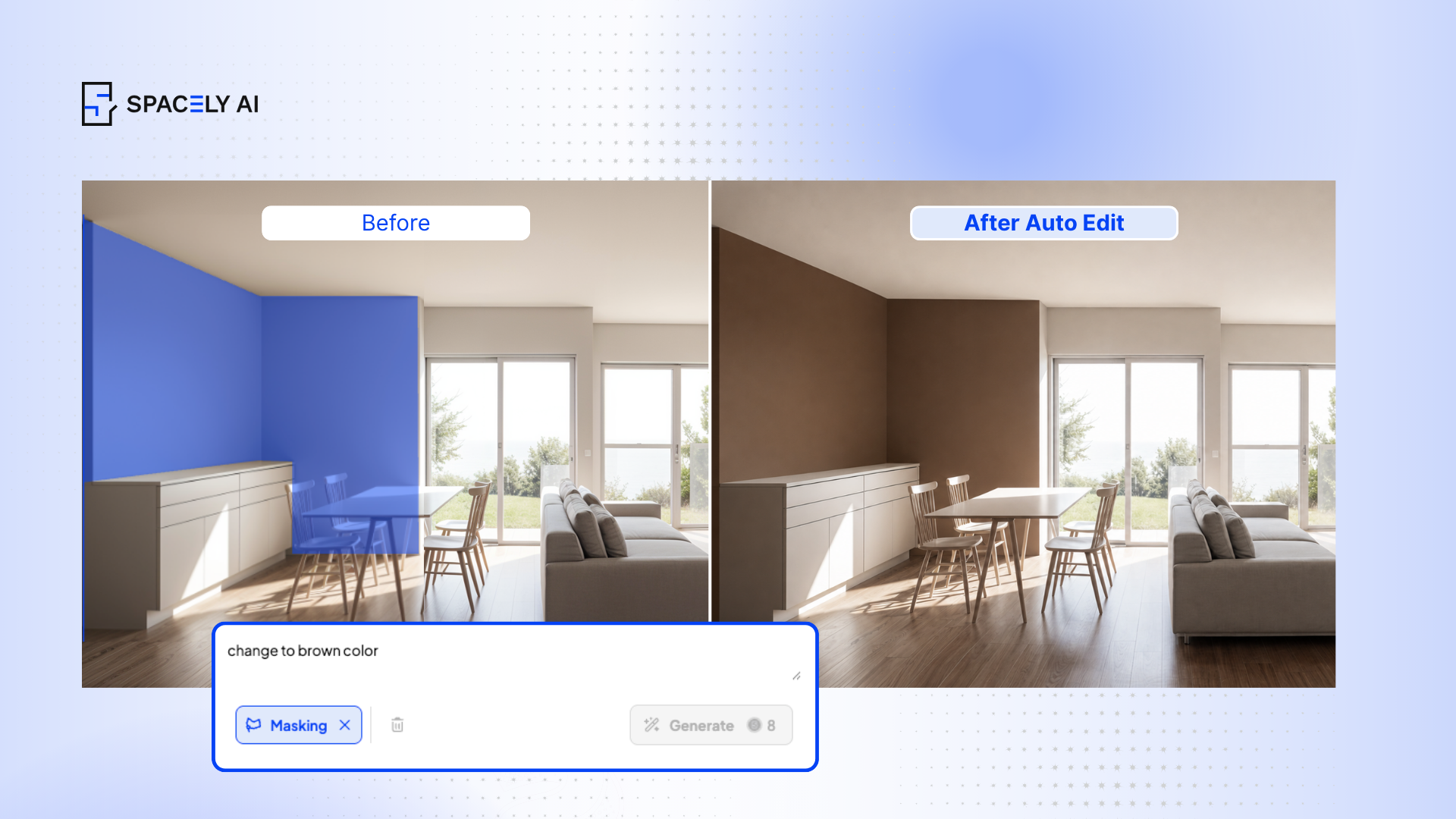
See real paint colors on a photo of your actual room before you buy. Here's how to preview wall colors with AI — and skip the costly repaint. The swatch looked like soft sage under the store lights. Two coats and one weekend later, the wall read hospital green — and the only fix was starting over. Anyone who has painted a room knows the feeling: the chip lied, and the room paid for it.
Here's the thing — you can see the real color on your real wall before you ever open a can. Spacely AI applies paint to a photo of your actual room, rendering it with realistic lighting and finish in seconds. Spacely AI's edit tool does this, and it can restyle furniture and decor in the same view — so you judge the whole look, not a flat swatch. The result: you stop guessing, and you paint once.
The workflow is quick. Photograph the room, apply a few candidate colors, compare them under your own lighting, and shortlist. Then buy one sample pot to confirm — not five.
How do you preview paint colors with AI?
Accuracy depends on your photo and your lighting. A clean shot in the light you actually live in does most of the work.
Photograph the room in the light you live in — daytime and evening both matter.
A chip is a few square centimeters under store lighting. A wall is dozens of square meters under your light. The visualizer applies the color across the real surface, accounting for the room's lighting and proportions, so the preview is far closer to reality than a swatch taped to drywall.
It doesn't replace the sample pot — it replaces the wasted sample pots. At roughly $5–$8 each, testing five shades the old way adds up fast, and a full repaint costs far more in paint and time. Run the comparison on screen, shortlist one or two, then confirm with a single pot. That's the fastest path from idea to a confident decision.
Color is the start, not the finish. Once the shade is right, the product still matters:
VOC content. Lower VOC means less odor and better indoor air. In the EU, decorative paints carry VOC limits and a content label under the Paints Directive (2004/42/EC); low- and zero-VOC lines are widely available in the US too.
Finish. Matte hides wall flaws; satin and semi-gloss wipe clean.
Undertone. Check warm versus cool against your flooring and natural light before you commit.
Previewing paint with AI turns an expensive guess into a quick, confident decision. Spacely AI shows the color on your real walls in seconds — then you pick a low-VOC product and paint once.
source: Directive 2004/42/EC (Decopaint / Paints Directive) — EUR-Lex — EU limits on VOC content in decorative paints and the requirement to label VOC content. Jurisdiction-dependent; confirm current US/EU rules for your market before publishing.
FAQ
Can AI show paint colors on my actual room photo? Yes. Spacely AI's edit tool applies paint and wall colors to a photo of your real room, rendering them with realistic lighting in seconds. AI can also restyle furniture, so you preview the complete look — not just a swatch.
Is the AI color preview accurate to real paint? It's close, because the AI paint color visualizer renders the color across your real walls and lighting rather than a small chip. For final certainty, buy a sample pot of your top choice and check it in your room before committing.
How should a design firm choose an AI rendering tool? Five criteria — workflow, output, control, API, licensing — and where Spacely AI fits.
Design and archite…
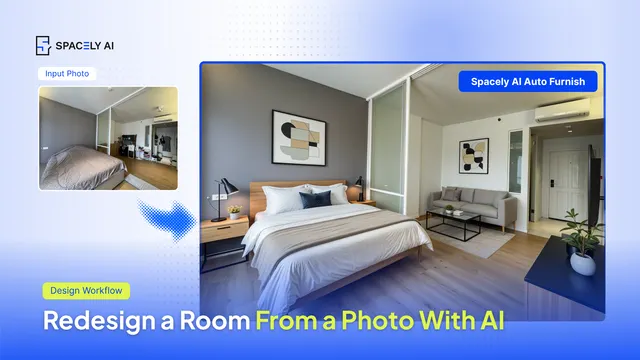
Can AI redesign a room from a photo? Yes — upload an image, pick a style, and get photorealistic renders in about 60 seconds with Spacely AI. Here's how. You up…