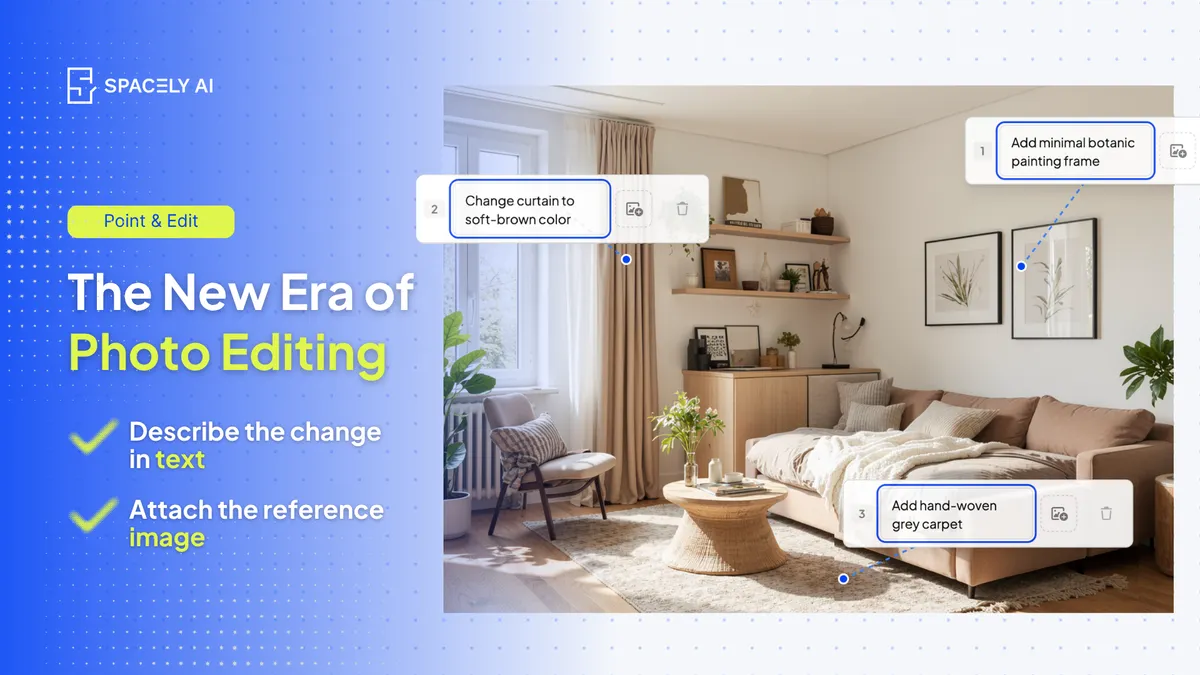
Photo editing is entering a new era, describe the change in plain words and AI makes it, no layers or masks. Here's how described editing works and where it fits.
Photo editing is entering a new era. One where you describe the change you want in plain language and AI makes it, instead of mastering layers, masks, and menus. That shift moves editing from a specialist skill to something open to everyone: a designer, an estate agent, or a homeowner can change a wall color, swap a material, or fix a detail simply by saying so.
Traditional editors like Photoshop remain powerful, precise, professional tools and for detailed, pixel-level work they'll always have a place, but for many everyday edits, describing the change is now faster and accessible to people who never learned the software. It lowers the barrier without lowering the result: you get the edit you asked for, without the learning curve that used to stand in front of it.
Below: what "described" editing is, what you can do with it, and where traditional editors still shine. Spacely AI's Auto Edit and Point & Edit let you edit a render or a photo by describing the change in words.
What is "described" editing?
You say what you want; the tool does it. For decades, editing an image meant translating your intention into software operations: selecting, masking, adjusting layers, knowing which tool did what.
Described editing removes that translation step. You type the change in plain language such as "make the sofa dark green," "change the floor to oak," "warm up the lighting," and the AI applies it to the image, keeping everything you didn't ask to change. The skill you need shifts from operating the software to simply knowing what you want, which is a skill everyone already has. That's the heart of the new era: the intention is the interface.
What can you edit by describing it?
More than you might expect, as long as you're clear. Described editing handles the everyday changes people actually need: recoloring an element, swapping a material, adjusting the lighting or mood, adding or removing an object, or fixing a detail that looks off.
The clearer your description, the better the result — "deep forest-green velvet sofa" gives the AI more to work with than "nicer sofa." And because the edit applies only to what you name, the rest of the image stays intact, so you can make a series of small, precise changes just by describing each one.
| You want to… | Just say… |
|---|
| Recolor something | "make the sofa deep green" |
| Swap a material | "change the floor to pale oak" |
| Adjust the mood | "warm up the lighting, softer and cosier" |
| Add or remove an object | "add a large plant in the corner" |
| Fix a detail | "remove the reflection on the window" |
How does described editing compare to traditional editing?
Different strengths and both have a place.
- Traditional editors offer complete, pixel-level manual control, which is exactly what a retoucher or a specialist needs for detailed, high-precision work.
- Described editing offers speed and accessibility — it's open to anyone and fast for common changes, but it hands the fine mechanics to the AI rather than giving you manual control over every pixel.
Neither makes the other obsolete. A professional might still reach for a traditional editor for a demanding final image, while using described editing to move quickly through everyday changes and client requests. The new era isn't "AI instead of editors" — it's editing becoming something everyone can do, with the pro tools still there when precision demands them.
What does it mean to edit a photo by describing it? It means typing the change you want in plain language — "make the walls warmer," "change the floor to oak" — and having AI apply it, instead of using manual tools like layers and masks. The skill shifts from operating software to simply knowing what you want. Spacely AI's Auto Edit and Point & Edit work this way.
Is described editing a replacement for Photoshop? No, they serve different needs. Traditional editors offer complete, pixel-level control for detailed, precise work and remain excellent for it. Described editing is faster and accessible to everyone for everyday changes. Many people use both: described editing for quick changes, a traditional editor when precision demands it.
What kinds of edits can I make just by describing them? Everyday changes: recoloring an element, swapping a material, adjusting lighting or mood, adding or removing an object, and fixing small details. The clearer and more specific your description, the better the result, and the rest of the image stays exactly as it was.
More design workflow insights on the Spacely AI blog →
Get started
→ Create your free account
→ Watch the full tutorial on YouTube
→ Explore the member plan
For more information and media inquiries, please contact
Website: spacely.ai
Facebook: facebook.com/spacelyai
Instagram: instagram.com/spacely.ai
Email: [email protected]