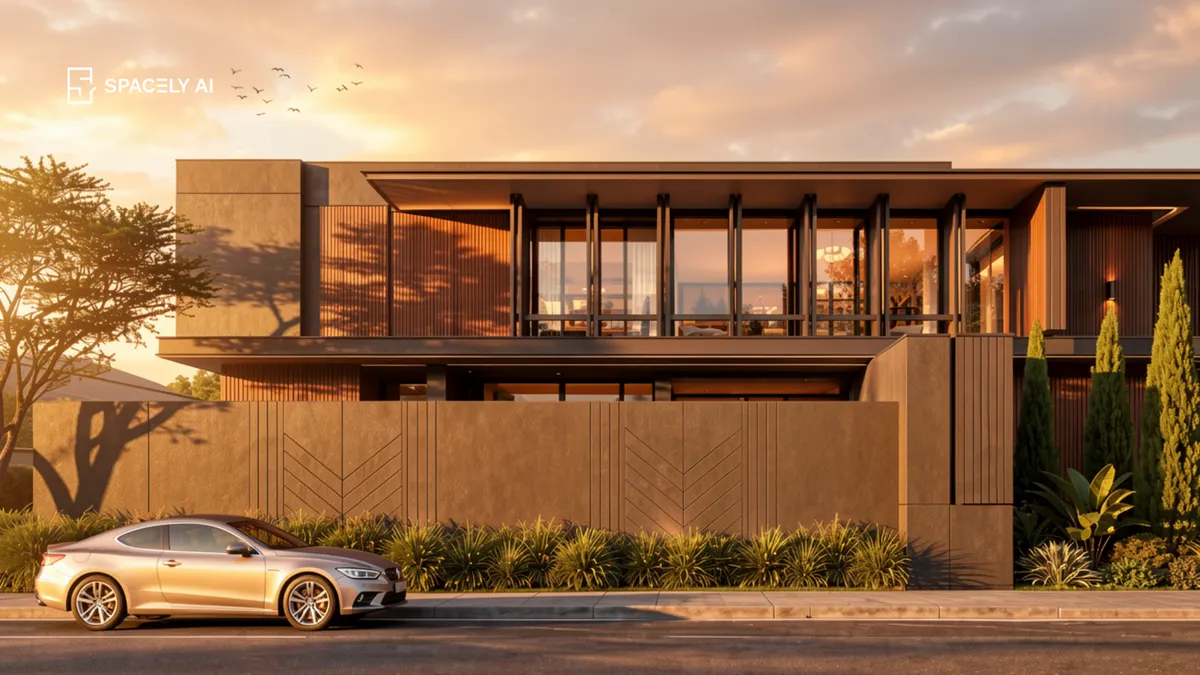
Traditional rendering is slow. AI is the shortcut, from a photo or model to a photorealistic visual in about 60 seconds. Here's how to do it, step by step.
The fastest route from a design to a photorealistic visual is AI. It's the shortcut past everything that makes traditional rendering slow. The old way means setting up a render scene, assigning materials and lighting, and waiting, or outsourcing and waiting days for an image back. AI collapses that: you start from a photo or a view of your model, describe the look you want, and get a photorealistic visual in about 60 seconds.
That's the shortcut, showing the quickest path from "I have a design" to "here's what it looks like" and it's exactly what you need when you want to explore options, decide on a scheme, or get a client to sign off. It doesn't replace every use of traditional rendering, but for the vast majority of everyday visualization, it's dramatically faster and open to anyone.
Below: why AI is the shortcut, how to use it step by step, and when a traditional renderer still earns its place. Spacely AI renders from your model or a photo in about 60 seconds.
Why is AI the shortcut to visualization?
It removes the slow parts: setup, waiting, and outsourcing. Traditional rendering is powerful but heavy: you build a scene, dial in materials and lights, and process each frame, or you hand it to a studio and wait. Either way, the gap between having a design and seeing it is measured in hours or days.
AI closes that gap to about a minute by working differently — it interprets a view of your model or a photo into a finished image, guided by your prompt, rather than simulating a full scene from scratch. No render setup, no outsourcing, no multi-day turnaround. For exploring ideas and communicating them, which is most of what visualization is for, that speed changes how you work: you iterate freely instead of rationing renders.
How do you use the shortcut, step by step?
Start from your design, describe the look, and generate.
- Start from a photo or model view. Upload a photo of the space, or frame a view in SketchUp or Rhino. Starting from your own design keeps the proportions true.
- Describe the look. Name the materials, the light and time of day, the setting, and the camera — specifically.
- Generate. You get a photorealistic visual in about 60 seconds.
- Compare options. Try a few directions side by side and pick the strongest.
- Refine. Fix one element with Point & Edit rather than regenerating, then sharpen with Enhance Quality 4K.
That's the whole shortcut: from design to client-ready image without the traditional overhead.
When should you still use traditional rendering?
For final hero images and full manual control and that's fine. The shortcut isn't a claim that traditional rendering is obsolete. For a signature final image, an animation, or work that demands pixel-level manual control, a traditional render engine still has real advantages, and specialists use it well.
The smart approach is to use each for what it's best at: AI for fast exploration, iteration, and the everyday visuals that make up most of the work, and a traditional renderer for the occasional high-end final piece. Most designers and architects end up using both — the shortcut for speed, the traditional route for the rare image that needs it.
| Traditional rendering | Spacely AI (the shortcut) |
|---|
| Time to image | Hours to days | About 60 seconds |
| Setup | Scene, materials, lighting | A prompt and your model |
| Skill needed | High | Minimal |
| Best for | Final hero images, animation | Exploration, iteration, everyday visuals |
The bottom line
AI is the shortcut to design visualization, from a photo or model to a photorealistic image in about 60 seconds, with no scene setup, no outsourcing, and no multi-day wait. Start from your own design, describe the look, generate, and refine. Keep a traditional renderer for the occasional final hero image, and use the shortcut for everything else. It's the fastest path from a design to seeing it, which is exactly what visualization is supposed to give you.
FAQ
What's the fastest way to visualize a design? AI rendering. Instead of setting up a render scene or outsourcing and waiting days, you start from a photo or a view of your model, describe the look, and get a photorealistic image in about 60 seconds. It's the quickest path from having a design to seeing it, and it's open to anyone.
How do I render a design quickly with AI? Start from a photo of the space or a view of your model, describe the materials, light, setting, and camera specifically, and generate — you'll have a photorealistic visual in about 60 seconds. Compare a few options and refine one element with Point & Edit rather than regenerating the whole image.
Does AI rendering replace traditional rendering? Not entirely. For final hero images, animation, or full manual control, a traditional render engine still has advantages. But for exploration, iteration, and the everyday visuals that make up most work, AI is dramatically faster. Most designers use both — AI for speed, traditional rendering for the occasional final piece.
More design workflow insights on the Spacely AI blog →
Get started
→ Create your free account
→ Watch the full tutorial on YouTube
→ Explore the member plan
For more information and media inquiries, please contact
Website: spacely.ai
Facebook: facebook.com/spacelyai
Instagram: instagram.com/spacely.ai
Email: [email protected]