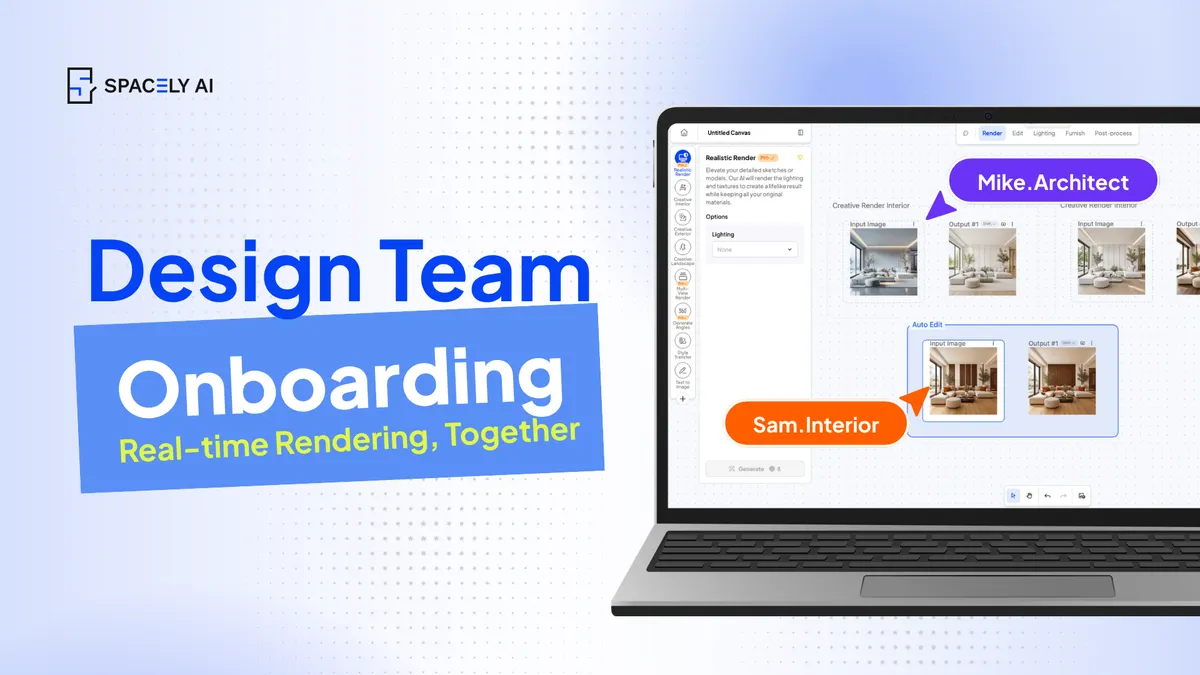
How to Onboard Your Design Team to AI
Rolling AI out to a design team works best as a structured plan, not a free-for-all. Here's how to onboard your team — pilot, standards, training, and buy-in.
Getting a design team onto AI goes far better as a deliberate rollout than as a tool everyone quietly figures out on their own. The approach that works: run a small pilot first, put one person in charge of it, be clear about where AI fits (concept and visualization, not final documentation), agree on shared standards and presets so everyone's output looks consistent, train on real projects instead of demos, keep the design decisions firmly with your people, and track the time it actually saves.
Adoption itself isn't the hard part anymore, most practices already use AI in some form, so the real question is how to bring a whole team on without turning it into a mess of mismatched styles and half-learned tools. A shared workspace makes that much easier: Spacely AI's Team plan puts everyone on the same projects, presets, and roles, so the team learns one consistent way of working rather than ten different ones.
Where should AI fit in your team's workflow?
Decide this before anyone touches the tool, it prevents most of the confusion later.
AI earns its place at the early stages: concept exploration, visualization, iterating on options, and putting client-facing images together quickly. It's not the tool for construction documentation or anything dimensioned; your BIM and CAD stay authoritative there.
Naming that line out loud matters, because it sets expectations. People adopt a tool faster when they know exactly what it's for and, just as importantly, what it isn't. Frame AI to your team as the thing that removes the slow, repetitive production work so they can spend more time on design, not as a mystery box that might do their whole job.
How do you roll out AI to a design team, step by step?
Small, structured, and on real work, not a company-wide switch flipped overnight.
- Start with a pilot. Pick one or two people and one live project. A contained trial surfaces the real questions without disrupting everyone.
- Assign a lead. One person owns the rollout — learns the tool well, answers questions, and sets the early example. Adoption stalls without a point person.
- Set shared standards and presets. Agree on the styles, presets, and naming your team will use, so output stays consistent no matter who made it.
- Train on real projects. People learn fastest applying the tool to work they actually have to deliver.
- Keep the decisions human. Make clear that AI handles execution at the visualization stage while judgment, taste, and the final call stay with the team.
- Measure the time it saves. Track turnaround before and after. Concrete wins are what turn skeptics into users.
- Then expand. Once the pilot works and standards are set, roll it out to the wider team with the champion supporting.
| Step |
What to do |
Why it matters |
| Pilot |
One project, one or two people |
Surfaces real issues safely |
| Lead |
One owner for the rollout |
Keeps momentum and answers questions |
| Standards & presets |
Agree styles and naming |
Consistent output across the team |
| Train on real work |
Use live projects, not demos |
Faster, stickier learning |
| Keep control |
Judgment stays with people |
Builds trust, sets expectations |
| Measure |
Track time saved |
Turns skeptics into adopters |
| Expand |
Roll out with support |
Scales without chaos |
How do you get the team to actually adopt it?
Address the fear first, involve people, and show wins early. The quiet worry on most teams is "will this replace me?" Name it directly:
- AI takes over the repetitive production work: the waiting, the re-rendering, the grunt tasks; while the design decisions, the client relationships, and the craft stay with the team.
That's not a threat to good designers; it's more time for the part they're actually good at. Then involve the team in setting the standards rather than handing rules down, so it feels like their workflow, not an imposed one.
Share early wins, a project turned around in a day instead of a week, because nothing converts a doubter like watching a colleague finish first. And keep everyone in one shared workspace so no one's off learning a private version of the process.
With Spacely AI's Team plan, shared projects, presets, and roles mean the team adopts one consistent way of working together.
FAQ
How do you get a design team to start using AI?
Roll it out deliberately: run a small pilot on a real project, put one lead in charge, define where AI fits (concept and visualization, not final documentation), set shared standards and presets, train on live work, and measure the time saved before expanding. A shared workspace like Spacely AI's Team plan keeps everyone learning one consistent way of working.
Will adopting AI replace designers on the team?
No, and it's worth saying so directly. AI takes over the repetitive production work while the design decisions, taste, and client relationships stay with the team. Framing it as more time for real design, rather than a replacement, is what gets people genuinely on board.
Where should AI fit in a design team's workflow?
At the early and visualization stages, concept exploration, iterating options, and client-facing images, while BIM and CAD stay authoritative for documentation and anything buildable. Naming that boundary clearly helps the team adopt the tool faster because they know exactly what it's for.
More design insights on the Spacely AI blog →
Get started
→ Create your free account
→ Watch the full tutorial on YouTube
→ Explore the member plan
For more information and media inquiries, please contact
Website: spacely.ai
Facebook: facebook.com/spacelyai
Instagram: instagram.com/spacely.ai
Email: [email protected]