Spacely AI for Revit: Render Straight From Your Model
Paphada Vasinsittisuk··3 min read
Spacely AI for Revit is coming. Render photorealistic visuals straight from your Revit 3D views, no export round-trip. Join the waitlist for early access.
It brings Spacely AI's generative rendering directly into Revit, running the same workflow as the Spacely AI SketchUp extension: open a 3D view, choose a style or write a prompt, and generate a render in under 60 seconds, then refine materials, lighting, and mood in place. Early access is rolling out now, and the way in is the waitlist; a one-minute survey that puts you first in line.
The point is coordination: today a render lives in one file and the model in another, so every revision means rebuilding both. Rendering inside Revit keeps the visual tied to the geometry it came from. You can snapshot directly from your viewport and render it in real time in Spacely AI, no file prep needed.
Why render inside Revit?
A render shouldn't live outside the model it came from. Every export is a moment where coordination breaks: the geometry is in one file, the visual is in another, and the next revision means rebuilding both. Spacely AI for Revit closes that gap. The view you've already framed becomes the render — no separate engine to learn, no scene to bake out, no overnight queue for a single image for a meeting.
Other Generic AI Tool
Spacely AI for Revit (coming)
Where the render lives
A separate file or engine
Inside your Revit model
Steps to an image
Export → import → set up a scene → render
Open a 3D view → generate
Handling a revision
Rebuild geometry and visual separately
Re-render the updated view
Time to first image
Minutes to hours
Under 60 seconds
Revit Workflow Highlight
The workflow that defines it: render straight from your Revit model. No export. No queue. No separate engine to learn before your first render.
Open a 3D view you've already framed in Revit.
Apply Realistic Render: test materials and explore how your model looks in each direction.
Generate a photorealistic render in under 60 seconds.
Refine in real time: edit materials, lighting, or the whole atmosphere.
No baking a scene out to a separate engine just to produce one image for a meeting. The view you've already framed becomes the render.
The way in is the waitlist: one-minute survey, and finishing it puts you first in line.
Show intent before production work exists. Give stakeholders something to react to during concept and schematic design, not weeks later once documentation catches up.
Skip the export round-trip. Render the view you've already set up — no separate engine, no overnight queue for a single image.
Iterate at meeting speed. Explore two or three directions live, instead of queueing another render pass.
See it in action (demo)
Watch the before-and-after in the early-access walkthrough:
0:00
/0:43
Spacely AI for Revit removes the gap between the model and the render: any 3D view becomes a client-ready image, inside the file, in under 60 seconds. Early access is rolling out now — join the waitlist to be first in line, and use the Spacely AI web app in the meantime.
FAQ
When is Spacely AI for Revit launching? Spacely AI for Revit is in early access now, rolling out to waitlist members first. The fastest way to be notified is to join the waitlist — finishing the one-minute survey puts you first in line for access at launch.
How do I get early access to Spacely AI for Revit? Join the Revit waitlist by completing the one-minute survey. Waitlist members get early access before general release and a launch notification. In the meantime, you can use the Spacely AI web app to render Revit views today.
Can I render Revit models with AI before the extension launches? Yes. Export a Revit 3D view as a PNG or JPG, upload it to the Spacely AI web app, and apply Realistic Render — then refine with Point & Edit and upscale with Enhance Quality 4K. It's the same engine the Revit extension will bring inside your model.
Spacely AI is now on Revit. Turn your Revit 3D views into photorealistic, client-ready renders at concept speed without leaving Revit. Free on the Autodesk Mark…
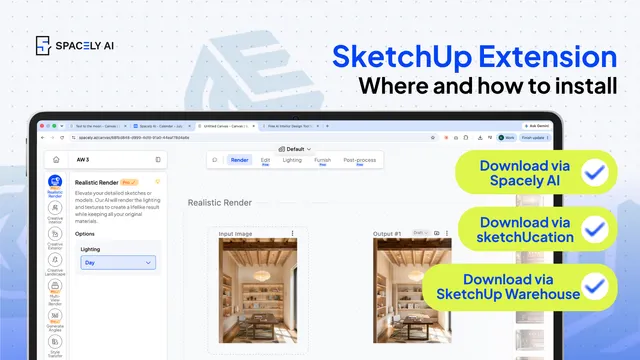
How to install a SketchUp extension two ways — from the Extension Warehouse or from SketchUcation. Step-by-step, plus troubleshooting.
You can install a Sketch…
The pace of design has changed. Team Canvas brings your whole team onto one live render in Spacely AI: real-time edits, comments, and shared credits.
Real-time…