Spacely AI Team Canvas: Real-Time Render Collaboration for Design Teams
Paphada Vasinsittisuk··3 min read
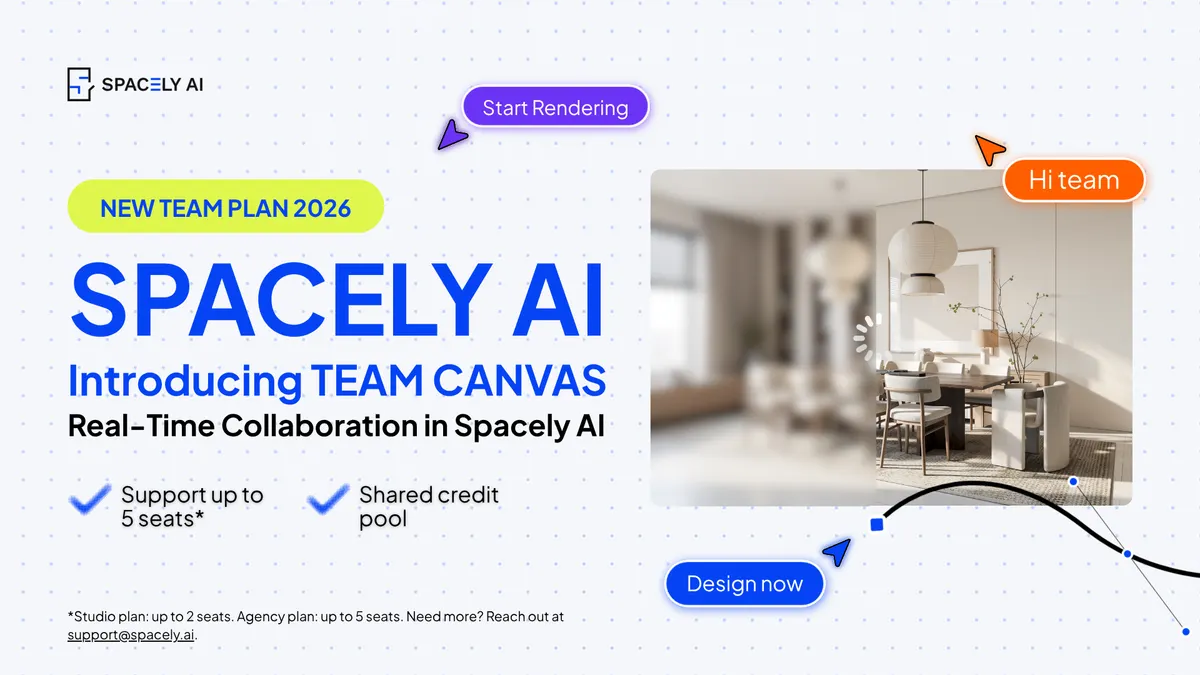
The pace of design has changed. Team Canvas brings your whole team onto one live render in Spacely AI: real-time edits, comments, and shared credits.
Real-time rendering and generative AI aren't the future anymore, they're the pace of today. Concepts that once took days now take minutes, ideas move as fast as you can describe them, and the teams thriving in this moment are the ones moving at that speed together.
Because design was never really a solo act. Designers have always worked in teams, bouncing ideas, building on each other, shaping one vision from many hands. The tools just hadn't caught up. Until now.
Meet Team Canvas: real-time collaboration in Spacely AI, built so your whole team can move forward together — on the same render, at the same moment.
Spacely AI Team Canvas is a real-time collaboration feature in Spacely AI that lets an entire design team render, edit, and export on the same canvas at the same time. Every teammate sees live cursors and live updates as they happen. When one person renders, everyone sees the result the moment it lands.
One shared canvas, one shared pace
The best design decisions have always come from a team in sync. Team Canvas makes that the default. Because everyone works on one live canvas, there's a single, always-current version, creating a shared source of truth for the whole team.
The idea behind it is simple: keep the whole team moving at one pace. The unit of work shifts from my file to our canvas. The AI handles the render, your team keeps the vision, now shaping it together in real time.
Built for teams: seats and shared credits
Team Canvas runs on seat-based team plans designed for collaboration:
Studio: up to 2 seats
Agency: up to 5 seats
Both plans include shared credit pooling, so your team draws from one pool of credits and shares resources freely — no tracking who used what. The credits are shared the same way the canvas is: collectively.
Getting your team onto a shared canvas takes four quick steps.
Step 1: Choose a team plan. In your account settings under Billing, pick the plan that fits your team: Studio for two seats or Agency for five.
Step 2: Invite your teammates. In your team settings, choose Invite members and add each teammate by email. Each invite uses one seat.
Step 3: Teammates accept from their inbox. Everyone you invite receives an email invitation. They click Accept and join your team workspace instantly.
Step 4: Set up your workspace. Create a workspace, add a project inside it, and open a new canvas. That canvas is where your team renders, comments, and refines together in real time.
0:00
/2:07
Who Team Canvas is for
Team Canvas is built for any team that creates together, and two groups feel the momentum immediately.
Interior design studios running client revision rounds. When feedback and re-renders happen on one live canvas, a round becomes a single working session — and the client approves a direction they can watch the whole team shape.
Architecture teams aligning at the concept stage. Communicating spatial intent is faster and sharper when everyone edits and annotates the same render together, in real time.
Real estate teams building listings and renovation firms preparing proposal visuals move the same way: one shared canvas, one agreed vision, everyone in step.
FAQ
What is Team Canvas in Spacely AI? Team Canvas is a real-time collaboration feature in Spacely AI that lets a whole design team render, edit, and comment on the same canvas at the same time. Teammates see live cursors and live updates, so the whole team creates together in real time.
Which plans include Team Canvas? Team Canvas is available on Spacely AI's seat-based team plans: Studio (up to 2 seats) and Agency (up to 5 seats). Both plans include shared credit pooling across the team.
How do I invite teammates to Team Canvas? In your team settings, choose Invite members and add each teammate by email address. They receive an email invitation, click Accept, and join your team workspace. Each invite uses one seat on your plan.
Can multiple people edit the same render at once? Yes. Team Canvas supports live cursors and live edits, so multiple teammates can shape the same render simultaneously — for example, one adjusting lighting while another styles the furniture.
How do shared credits work on team plans? On Studio and Agency plans, credits are pooled across the whole team. Everyone draws from one shared pool, so there's no need to track individual usage or assign credits per person.
Does Team Canvas change my team's creative direction? No. In Spacely AI, the generative AI handles the render while your team keeps full creative direction. Team Canvas simply brings that vision into one shared place so the whole team can shape it together, live.
Spacely AI is now on Revit. Turn your Revit 3D views into photorealistic, client-ready renders at concept speed without leaving Revit. Free on the Autodesk Mark…
Spacely AI is a proud sponsor of the SketchUp 3D Summit 2026. Here's our collaboration with Brightman Designs and the real SketchUp workflow behind it.
Some of…