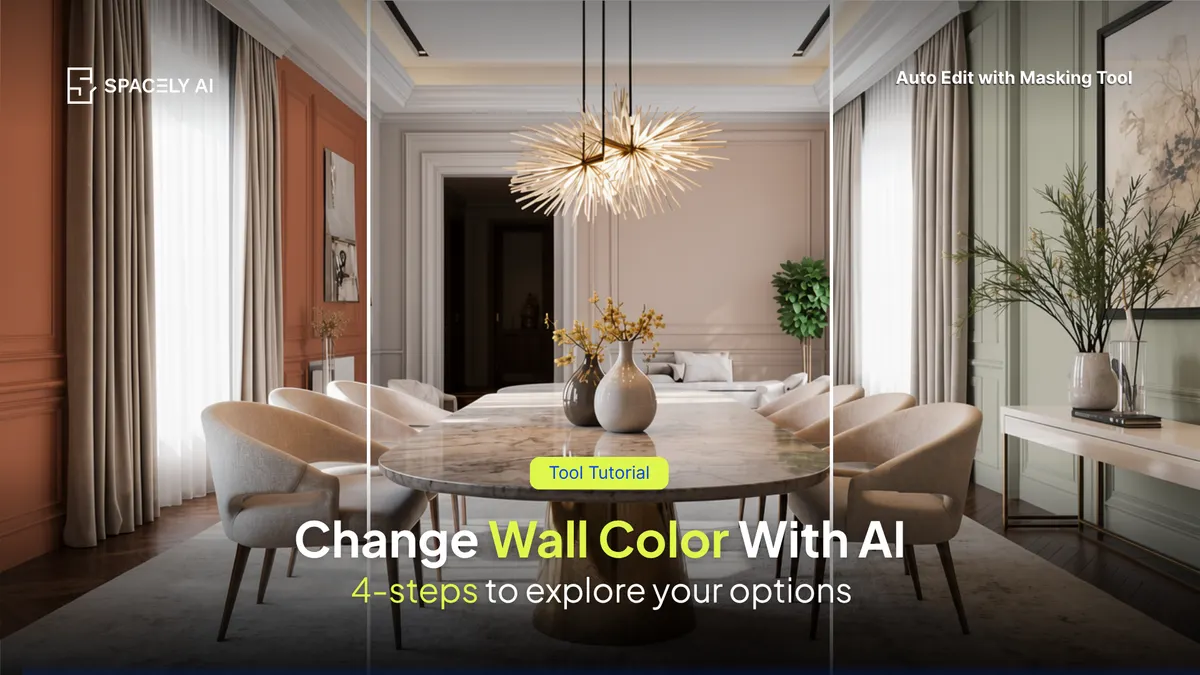
Want to see a new wall color before you paint? Here's how to change wall color in a photo with AI: upload, select the wall, name the color, and refine.
You can see a new wall color on your actual wall by uploading a photo and using AI to recolor it. The process is quick: upload a photo of the room, select the wall you want to change, name the exact color you're considering, and generate. Because the change happens on the photo, you can test several shades on the real wall, with your real furniture and lighting, in the time it takes to drive to the paint store.
In Spacely AI, the tool for this is Auto Edit with masking tool, which lets you change one element, the wall, while everything else in the photo stays exactly as it is. That means you compare "sage green" against "warm terracotta" against "soft clay" on the same wall, side by side, instead of squinting at tiny paint chips.
Below: how to do it step by step, how to describe a color so you get what you mean, and why testing on your own photo beats swatches.
How do you change a wall color in a photo?
Upload a clear photo of the room: Good, even lighting and a straight-on angle give the best result.
Select the wall: Point at or mask the specific wall you want to recolor, so only it changes.
Name the color precisely: "Deep sage green," "warm terracotta," "soft clay" — specific names beat "a nice green."
Generate and compare: Produce the recolored version, then repeat with other shades to see them side by side on the same wall.
Refine if needed: Adjust the shade or fix any edges with another quick edit, keeping the rest of the room untouched.
Why test wall color on a photo instead of swatches?
Because a swatch can't show you the whole wall in your own light. A paint chip is a two-inch square under store lighting; it can't tell you how a color will feel across a full wall next to your sofa, your floor, and your window light.
Painting sample patches works but costs time, money, and a wall full of test squares. Recoloring a photo shows the finished result on the actual wall, in context, in seconds, so you commit to a color you've already seen at full scale. Keep it realistic: the goal is to preview the real outcome, then buy the paint once.
Can AI show me a new wall color in my own room? Yes. Upload a photo of the room to Spacely AI, select the wall with Auto Edit, name the color, and it recolors that wall while keeping the rest of the room unchanged. You can test several shades on the same wall to compare before painting.
How do I get the exact paint color I want? Describe the color specifically; the shade and its undertone ("warm off-white with grey," "deep sage") rather than just "green." If it's slightly off, nudge the description ("a touch warmer") and regenerate. Testing on a photo taken in your room's real light gives the most honest preview.
Is this better than paint samples? For previewing, usually yes. A chip or a sample patch can't show the full wall in your own lighting and next to your furniture. Recoloring a photo shows the finished look in context in seconds, so you can commit to a color you've already seen at full scale, then buy the paint once.
Copy-paste AI prompts for nursery design: modern, neutral, boho, and whimsical. Render your baby's room on a photo in about 60 seconds.
Here are copy-paste AI…
Los Angeles apartment interior design blends indoor-outdoor living, warm light, and relaxed modern style. Ideas by apartment type, plus copy-paste AI prompts to…
Home library design ideas and copy-paste AI prompts: classic, modern, cozy, and small-space libraries. Render your home library on a photo in about 60 seconds.…