Loading...
Comparison
Comparison Spacely AI vs HomeDesignsAI
 VS
VS
Which AI Design Platform Delivers Better Results in 2025?
If you’re exploring AI-powered home design platforms, you’ve probably come across Spacely AI and HomeDesignsAI. Both help turn ideas into visuals, but they take different approaches and cater to different types of users. This guide compares their speed, features, and real-world usability—so you can decide which platform fits your needs best.
Feature Comparison
Flexibility, Speed, and Editing Control
Spacely AI caters to both professionals and homeowners, with flexible input types, fast rendering, and advanced editing tools. HomeDesignsAI is focused on quick AI staging from photos, making it simple but with fewer customization options.
Speed to First Visual
Delivers fully rendered visuals in seconds from a photo, plan, or prompt.
Generates results quickly but may require extra steps for customization.
Professional Output Quality
Photorealistic renders suitable for client decks, ads, and print.
More “concept” style visuals, less suited for high-end marketing.
Workflow Fit
Built for both professionals and homeowners, with tools for staging, editing, and presentation.
Geared more toward homeowners and quick DIY projects.
Editing Flexibility
Change styles, replace objects, or adjust lighting without starting over.
Limited in-platform editing — complex changes may require external tools.
Range of AI Tools
Full suite: AI staging, style transfer, auto furnish, text-to-image, collage-to-render.
Primarily staging and style filters, fewer creative AI features.
Integration & Access
Web-based platform compatible with pro workflows and assets.
Web-based but less integrated into pro design pipelines.
Ease of Use
Beginner-friendly yet powerful enough for design teams.
Easy for casual users, but less control for pros.
Quick Overview
Two Tools, Different Focus

Spacely AI Focus
Spacely AI is designed for professionals and teams such as interior designers, architects, and real estate marketers; who need high-quality, customizable visuals for client work. From virtual staging to style changes and image cleanup, most edits take just seconds.
HomeDesignsAI Focus
HomeDesignsAI is aimed at homeowners, DIY renovators, and casual users who want fast design mockups for rooms, facades, or landscaping—without needing professional-grade control.
What Spacely AI Can Do
That HomeDesignsAI Can't


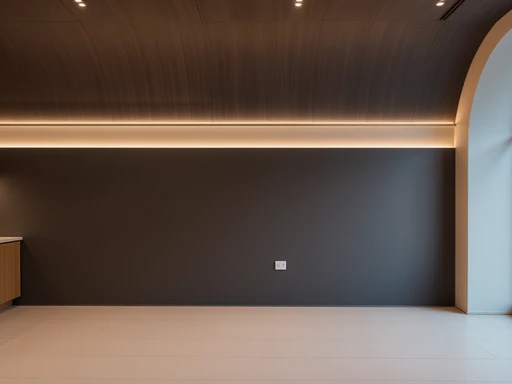
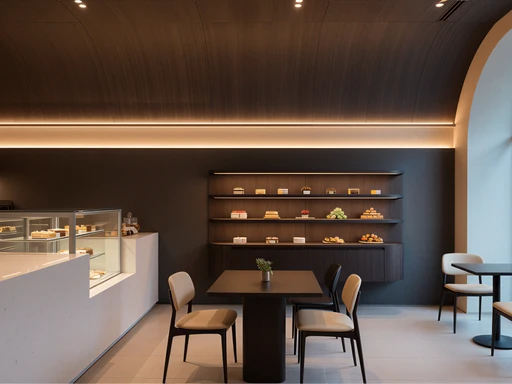
Style Transfer
Transform designs with the exact style of your mood board.
Auto Furnish
Pro
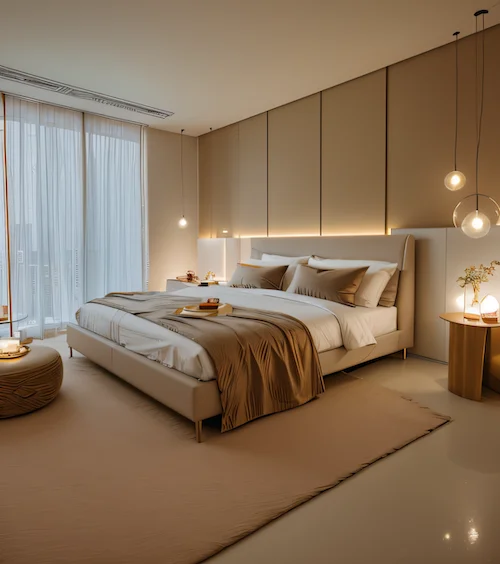
Furnish empty rooms in seconds without altering the layout.
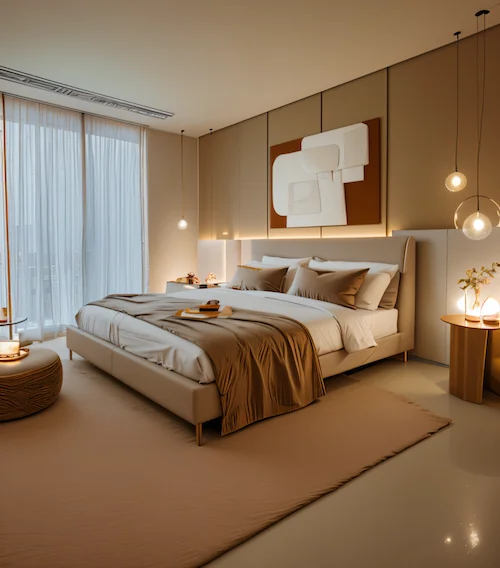
Add an artwork on the wall
Auto Edit
Edit designs with prompts—no masking or rework needed.


Realistic Render
Pro
Get client-ready SketchUp renders in under 3 minutes.
Use Case Fit
Who Should Use Which Tool?
Choose Spacely AI If...
You need AI tools for creation and advanced edits
You want control over furniture, colors, and lighting
You require pro-grade visuals for design, architecture, or real estate
Choose HomeDesignsAI If...
You need quick ideas for home or garden
You use it occasionally without advanced edits
You’re fine with preset styles and limited options
Summary
Side-by-Side Comparison
Here’s a quick breakdown of both tools:
Scope
Professional & commercial
Personal & DIY
Features
Full AI toolset (staging, editing, rendering)
Basic generation only
Customization
Advanced style & object control
Limited style changes
Output
High-res, marketing-ready
Standard image quality
Collaboration
Team-friendly, client workflows
Single-user focus
Best For
Designers, architects, real estate teams
Homeowners, hobbyists
Final Verdict
Which Tool Wins in 2025?
VSIf you need an all-in-one AI platform with pro-level tools, high-quality output, and the flexibility to handle client projects—Spacely AI is the clear winner. If your main goal is quick, simple concepts for personal projects, HomeDesignsAI can be a fit.
For most designers, architects, and real estate teams who want to move from idea to polished visual without juggling tools, Spacely AI delivers more versatility, better customization, and results you can use anywhere.