Loading...
Comparison
Comparison Spacely AI vs Lumion
 VS
VS
Which Rendering Tool Is Better for Designers in 2025?
If you're a designer, architect, or creative team comparing rendering tools, you've likely come across Spacely AI and Lumion. Both are powerful—but built for very different workflows. This page breaks down how they compare in speed, usability, and real-world features, helping you choose the right tool for fast-paced design work or production-grade rendering.
Feature Comparison
Speed, Setup, and Workflow
Spacely AI is made for teams who want to move fast—testing layouts, generating visuals, and collaborating without delays. Lumion delivers high-quality real-time rendering but still requires a full 3D model, manual setup, and significant computing power.
Rendering Time
AI renders in under 60 seconds with AI automation.
Previews in real-time, but high-res exports can take minutes.
3D Modeling Required
Not required—works from a prompt, sketch, 2D plan, or photo.
Required—built for detailed 3D models.
Virtual Staging
Auto staging built-in
Manual placement using large asset library
AI Features
Built-in AI staging, style transfer, collage-to-render, and text-to-image.
No native AI—everything is manual.
Style Editing
Switches design styles instantly.
Requires manual changes to materials, lighting, and objects.
Platform & Performance
Runs in the browser—no installs or hardware demands.
Desktop-only and needs a high-spec GPU.
How Each Tool Works
AI Automation vs Real-Time Control

Spacely AI Workflow
With Spacely AI, there’s no modeling or complex software. Start from a sketch, photo, or text prompt—AI handles the rest. Generate photorealistic results in seconds, ready for client feedback or marketing. Need a new style? One click. Want to stage furniture or clean up clutter? Done instantly.
Lumion Workflow
Lumion lets you navigate and adjust scenes in real-time, fine-tuning lighting, weather, and materials on the fly. It’s ideal for creating cinematic visuals from a completed 3D model but requires manual setup and design skills. Great for final presentations, but slower for quick concept changes or mass variations.
What Spacely AI Can Do
That Lumion Can't
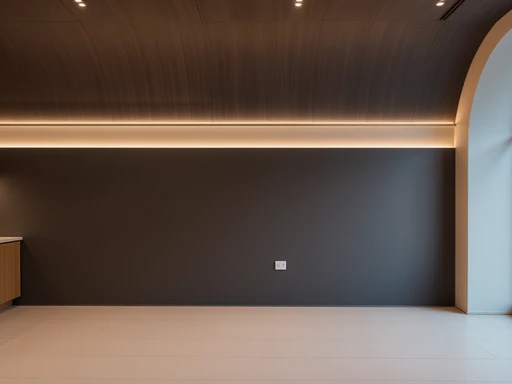
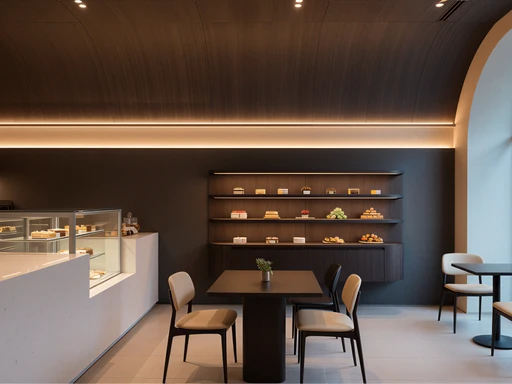
Auto Furnish
Pro
Furnish empty rooms in seconds without altering the layout.


Style Transfer
Transform designs with the exact style of your mood board.


Realistic Render
Pro
Get client-ready SketchUp renders in under 3 minutes.
Add an artwork on the wall


Auto Edit
Edit designs with prompts—no masking or rework needed.
Use Case Fit
Who Should Use Which Tool?
Choose Spacely AI If...
You need visuals fast without 3D modeling
You want client-ready images in minutes
You prefer web-based, AI-powered workflow
Choose Lumion If...
You have full 3D models to render
You need control over lighting and environment
You want to create cinematic flythroughs or detailed scenes
Summary
Side-by-Side Comparison
Here’s a quick breakdown of both tools:
Speed
Instant (AI-generated)
Fast real-time rendering with 3D model
Setup
No install, web-based
Desktop software, needs GPU power
3D Modeling
Not required
Required
AI Features
Built-in
None
Learning Curve
Easy to use
Moderate – requires 3D skills
Best For
Designers & real estate
Architects & 3D visualizers
Final Verdict
Which Tool Wins in 2025?
VSIf you want speed, automation, and visuals that wow clients—Spacely AI is the smarter choice. If you need immersive, real-time environments and work primarily from full 3D models, Lumion is still a solid pick.
For most design professionals juggling multiple projects or client types, Spacely AI delivers results faster, easier, and with far less setup.