You've been there. The client wants premium quality for their portfolio piece. Then they ask for just two quick variations instead of four. Then they need the lighting warmer. Then they send a reference photo and say "make it look like this."
Before, each request meant adjusting settings, re-rendering, and hoping nothing else changed. Now, you handle all of it without starting over.
🎨 Creative Render Pro
Some projects just need to look perfect. Magazine submissions. Luxury portfolio pieces. Client presentations where every detail matters.
Creative Render Pro delivers premium quality when standard output isn't enough. Same workflow, higher fidelity. Switch it on when the stakes are high.
Same input, same settings. Just switch to Pro mode. Get higher-quality results.
⚡ Adjust Variations
Your client needs options, but not always four of them. Sometimes you just need two quick variations to compare countertop finishes. Sometimes you want all four to explore different furniture layouts.
Now you choose. Select 1-2 images for faster processing and lower costs. Select 3-4 when you need more options. You're in control of both your timeline and your budget.
💡 Adjust Lighting
The render looks great, but it needs a warmer glow by the window. Or maybe accent lighting on that feature wall.
Point at where you want the light. Adjust the color temperature. Control the radius and falloff. Everything updates in real-time. No re-rendering. No losing the work you've already done.
🔄 Lighting Transfer
Your client sends a reference photo. "Can you match this lighting mood?"
Upload your base image and the reference. The AI analyzes the lighting and applies it to your scene. That golden hour warmth, that dramatic side lighting, that soft diffused glow—captured and transferred in one step.
📦 Available Now
All four features are live now for Spacely AI users. Your next client request is waiting.
Spacely AI is now on Revit. Turn your Revit 3D views into photorealistic, client-ready renders at concept speed without leaving Revit. Free on the Autodesk Mark…
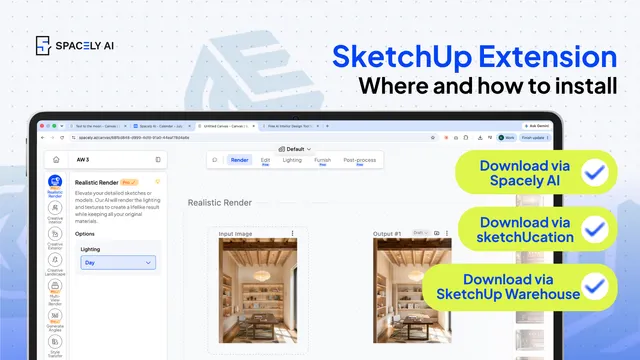
How to install a SketchUp extension two ways — from the Extension Warehouse or from SketchUcation. Step-by-step, plus troubleshooting.
You can install a Sketch…
The pace of design has changed. Team Canvas brings your whole team onto one live render in Spacely AI: real-time edits, comments, and shared credits.
Real-time…