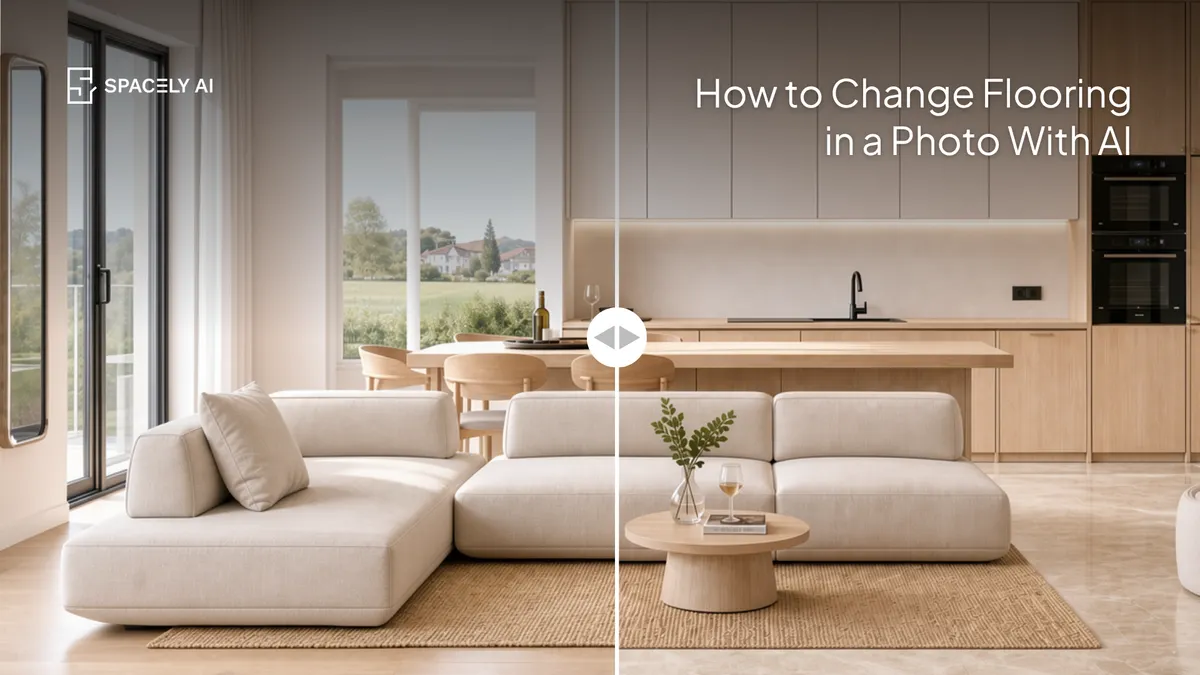
Change the flooring in a photo with AI in about 60 seconds: swap in wood, tile, or microcement and see it in your real room before you buy. Here's how.
You can change the flooring in a photo with AI in about 60 seconds: upload a photo of your room, choose or describe the new floor (pale oak, herringbone, large-format tile, microcement), and the AI swaps it in while keeping the rest of the room exactly as it is, matching the perspective and light.
It's the fastest way to see a new floor in your actual space before buying, and that matters because flooring is one of the biggest, hardest-to-undo purchases in a home — a sample board can't show you a whole room. Instead of guessing from a small swatch, you see the real thing: your room, your furniture, your light, with the new floor underfoot.
Below: how it works, the steps, how to make it look realistic, and how to compare options. Spacely AI changes just the floor with Point & Edit, so nothing else moves.
Can you change flooring in a photo with AI?
Yes and only the floor changes. The key is that AI can edit one element of a photo while leaving the rest untouched.
Point at the floor, describe the new material, and the AI replaces it, matching the room's perspective, lighting, and shadows so the new floor sits correctly under your existing furniture. Your walls, furniture, and everything else stay exactly as they were. That's what makes it useful for a real decision: you're seeing your room with a different floor, not a generic render.
How do you change the floor in a photo?
Four steps.
- Upload a photo of the room. A clear, well-lit shot that shows the floor works best.
- Select the floor. Point to the flooring you want to change with Point & Edit.
- Describe the new floor. Be specific: "pale oak wide-plank," "herringbone walnut," "large-format gray stone tile," "seamless microcement."
- Generate and compare. The AI swaps the floor in about 60 seconds; try a few materials and set them side by side.
How do you make the new floor look realistic?
Name the material specifically, and let the AI handle the perspective. The more specific you are about the flooring, the better the result: "pale oak wide-plank running lengthwise" beats "wood floor." Name the material, the tone, the plank or tile size, and the pattern (straight, herringbone, chevron) if it matters.
The AI takes care of the hard part, matching the floor to your room's perspective and light so it sits correctly and reads as real. If a detail looks off, adjust the description and regenerate just the floor, rather than the whole image.
How do you compare flooring options?
Try several on the same room and look side by side. Because each change takes about 60 seconds and only touches the floor, you can test many options on the exact same photo: light oak versus walnut, wood versus tile, straight versus herringbone, and compare them directly. Seeing several floors in your real room, against your actual furniture and wall color, is far more reliable than imagining each from a sample. Once one clearly works, that's your floor, chosen by seeing it in place.
The bottom line
Changing flooring in a photo with AI lets you see a new floor in your actual room in about 60 seconds, before you spend on a material that's expensive and disruptive to replace. Upload a photo, select the floor, describe the new material specifically, and compare a few options side by side. The AI matches the perspective and light and changes only the floor, so you judge your real room — and buy the flooring you've already seen underfoot.
FAQ
Can AI change the flooring in a photo of my room? Yes. Upload a photo, select the floor with Point & Edit, and describe the new material, the AI swaps it in about 60 seconds while keeping the rest of the room unchanged and matching the perspective and light. It's a fast way to see a new floor in your actual space before buying.
How do I make the new floor look realistic? Be specific about the material, tone, plank or tile size, and pattern ("pale oak wide-plank," "herringbone walnut," "large-format stone tile"). The AI handles matching the floor to your room's perspective and light. If a detail looks off, adjust the description and regenerate just the floor.
Can I compare different flooring options? Yes. Because each change takes about 60 seconds and only affects the floor, you can try several materials on the same photo from wood versus tile, oak versus walnut, straight versus herringbone, and compare them side by side in your real room before deciding.
More design workflow insights on the Spacely AI blog →
Get started
→ Create your free account
→ Watch the full tutorial on YouTube
→ Explore the member plan
For more information and media inquiries, please contact
Website: spacely.ai
Facebook: facebook.com/spacelyai
Instagram: instagram.com/spacely.ai
Email: [email protected]