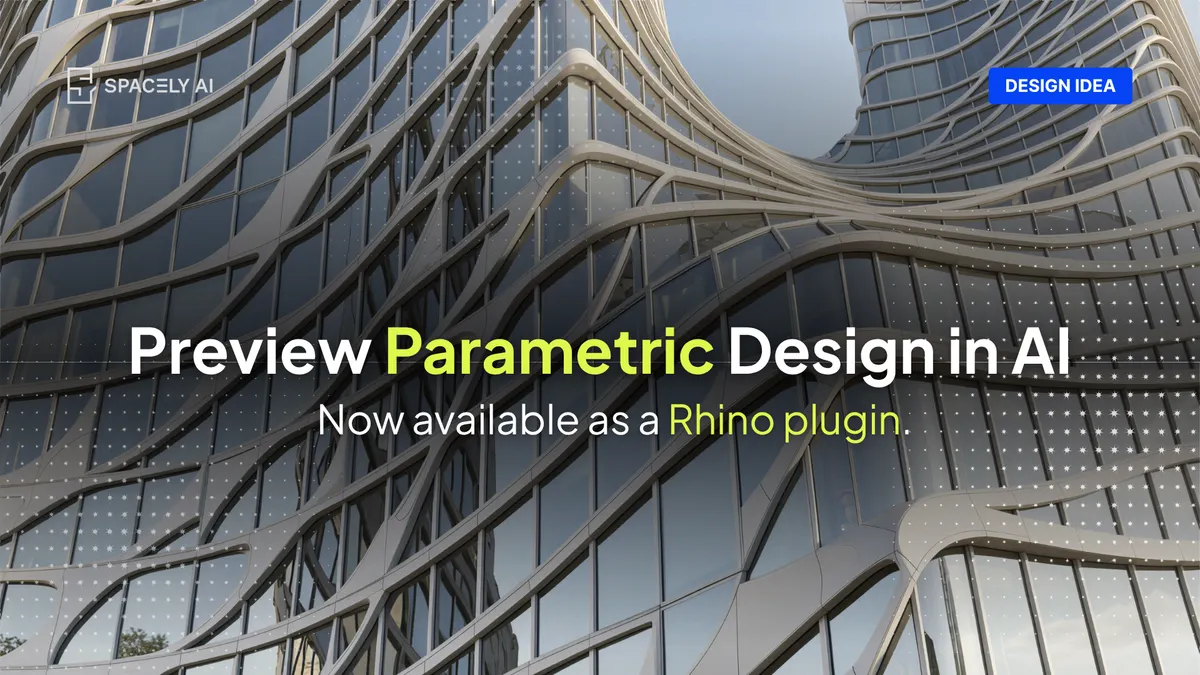
Parametric design produces many forms fast, but seeing which works means rendering. How to preview parametric ideas with AI, from your own model.
Parametric design lets you generate dozens of formal variations in minutes, but seeing which one actually works still means rendering, and that's the bottleneck AI preview removes. When you capture a framed view of a parametric variation from Rhino or Revit, a generative AI tool can return a photorealistic preview of it in about a minute, so you can judge a shortlist by how it reads in daylight and material rather than as gray-shaded geometry.
Spacely AI, a generative AI platform, is built for that step: you render a preview from your own model view, then steer materials and mood with tools. The geometry stays in your parametric model and the preview is a separate image.
Preview is where that shows up most: instead of committing render time to every option, you feel the shortlist first and take only the strongest forward. This guide covers what parametric design is, how AI preview fits, which ideas are worth previewing, and where the tool stays faithful and where it doesn't.
How does AI preview parametric ideas?
The workflow is short. Capture a framed view of a parametric variation from your model, render a photorealistic preview from it, and refine the image from there.
Because the preview starts from your own geometry, the proportions and layout carry through — you're seeing your form, not a generic one. From there you direct the rest: name the material and light, generate, then correct anything that drifts with tools, or shift the whole look with. It's fast enough to preview a shortlist of three or four options side by side and pick the one that holds up. And because the preview is a separate image, iterating on it never reaches back into your parametric definition and the model stays exactly as you built it.
This is the difference between judging forms as diagrams and judging them as designs. The former is guesswork about material and light; the latter is a decision you can stand behind.
Which parametric design ideas are worth previewing?
These are the forms where the gap between "gray geometry" and "how it actually reads" is widest — so previewing them earns the most.
| Parametric idea |
What the preview shows you |
Prompt cue to try |
| Parametric façade panels |
How the panel rhythm reads in daylight and material |
"anodized aluminium parametric façade, late-afternoon raking light, eye-level street view" |
| Voronoi / perforated screen |
Shadow play and transparency |
"white perforated voronoi screen, strong side light casting patterned shadows, interior view" |
| Gridshell / lattice canopy |
How the structure feels overhead, in context |
"timber gridshell canopy over a plaza, soft overcast light, wide-angle upward view" |
| Undulating / wave ceiling |
How the surface catches light indoors |
"sculptural undulating oak-slat ceiling, warm diffused downlight, interior eye-level" |
| Twisting / tapering tower |
Massing and skin against the sky |
"twisting glass tower, clear morning sky, ground-level wide-angle" |
| Tessellated / diagrid surface |
Pattern scale and depth |
"concrete tessellated diagrid façade, hard midday sun, three-quarter view" |
Preview two or three variations of the same idea, set them beside each other, and the strongest form usually declares itself — in material and light, not just outline.
The bottom line
Parametric design is fast at producing forms and slow at showing you which one works. AI preview closes that gap: render a photorealistic version of each serious option from your own model view, judge it in material and light, and carry only the strongest forward. Keep the geometry in your parametric model, use the preview to decide, and verify before you commit. Done that way, you explore more ideas and present the best one with confidence — and the judgment stays yours.
FAQ
Can AI render parametric designs from Rhino?
Yes. Capture a framed view of your parametric variation in Rhino (where Grasshopper geometry lives) and Spacely AI renders a photorealistic preview from it. The render comes back as a separate image, so your parametric definition and geometry stay untouched.
How is AI preview different from a real-time render engine?
Real-time engines like Enscape, Twinmotion, or D5 give live feedback as you navigate the model. AI preview generates a photorealistic, styled image from a captured view and lets you steer materials and mood quickly with prompts. They're complementary — one for live walkthroughs, one for fast styled concept previews of your shortlist.
Get started
→ Create your free account
→ Watch the full tutorial on YouTube
For more information and media inquiries, please contact
Website: spacely.ai
Facebook: facebook.com/spacelyai
Instagram: instagram.com/spacely.ai
Email: [email protected]